NotARogueLike by NotAGroup is a first-person roguelike dungeon crawler.
This is the development blog for the student project. We grant no guarantees or warranties for either the blog or the code.
Our team consists of the following people:
| Member | Roles |
|---|---|
| Sven Gerber | Game Logic, Level Design |
| Moritz Mahling | Game Logic, Combat System & Enemy Behavior |
| David Ruff | Game Logic, Tooling, git/blog administration |
| Axel Schneewind | Game Logic, UI, VFX |
| Guanpu Tian | Game Logic, Asset Creation, Animation, Sound Design |
| Rene Tischler | Game Logic, Asset Creation, UI |
-
Week 10
UI/Input (Feedback from Demo Session)
From the demo session we got valuable feedback concerning input and ui which I implemented this week. It includes
- Moving items in the inventory (now, we use two colors to highlight slots when moving items: one for the currently selected slot and one for the slot that the item is taken from)
- Gamepad input for main menu, pause and death screen
- Missing mapping for pause on gamepad
- look sensitivity on gamepad
and other small fixes.
Dungeon Generation: Decorations
Another point frequently mentioned in feedback was the fact that the levels look very empty. For this reason, I extended the dungeon generation algorithm such that it can also place random decorative assets in the level and added some assets.
So far, I added piles of rocks and pieces of wood as decorations. I created these by modeling a handful of different rocks and pieces of wood and placed them onto a circle using the scatter-on-surface-modifier in blender.
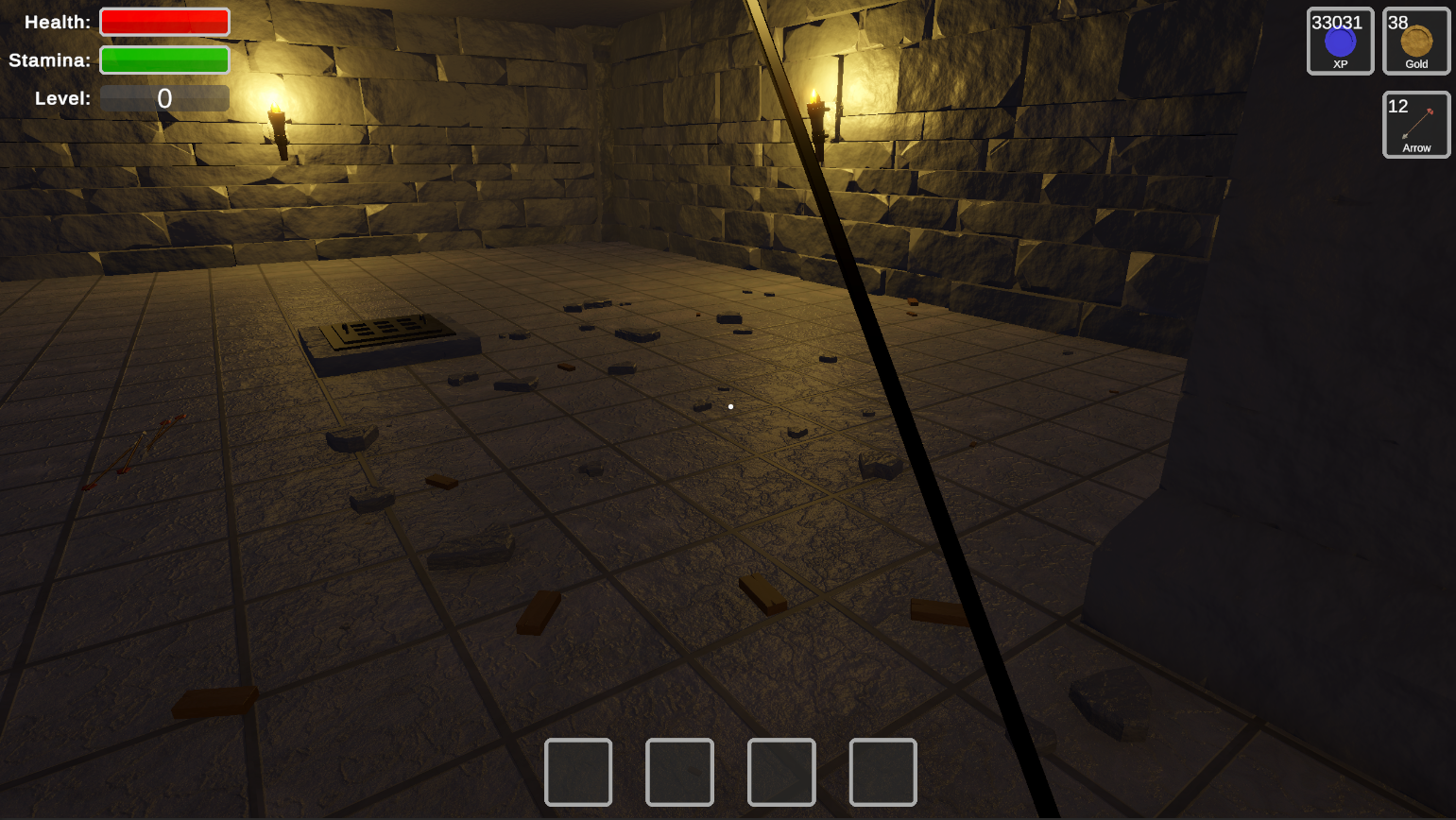
Similarly, I also created a pile of rubble where I used a simple voronoi texture on the base model and scattered rocks on its surface.
Finally, I created a very basic puddle of water, which consists of a deformed circle and a transparent and reflective material. I also simulate water drops falling from the ceiling using a particle system (with drops creating ‘splashes’ in the water using a second particle system).
By Axel Schneewind
Enemy Behavior
Since we still had problems with the animations and rigidbody, our boss monster’s jump attack was disabled during the demo session. One reason for this was that the animation did not always match the physical jump duration. This problem was solved by calculating the estimated jump time and adjusting the animation speed accordingly using a multiplier.
Furthermore, the phase and distance to the player are no longer the only factors that determine whether the jump attack is selected; the path to the player must also be clear. This effectively prevents the overlord from jumping against the pillars in the room and getting stuck on them.
Also, a separate cooldown for the jump attack has been added to prevent the overlord from permanently jumping around the room like a rabbit when the player keeps a relatively big gap from the boss.
During the demo session, we also noticed that it was relatively easy to defeat the overlord by sneaking up behind the boss before he awakens. Since you never entered the overlord’s field of view, he never turned toward the player and could be easily struck down with the sword. This was not possible with the bow, as all opponent classes turn in the direction of the shot when hit by a projectile. To prevent this in the future, an alert area has also been added to the overlord, where he can detect the player even if they are not directly in his field of view.
By Rene Tischler
Some result from the playtest.
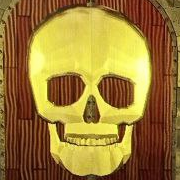
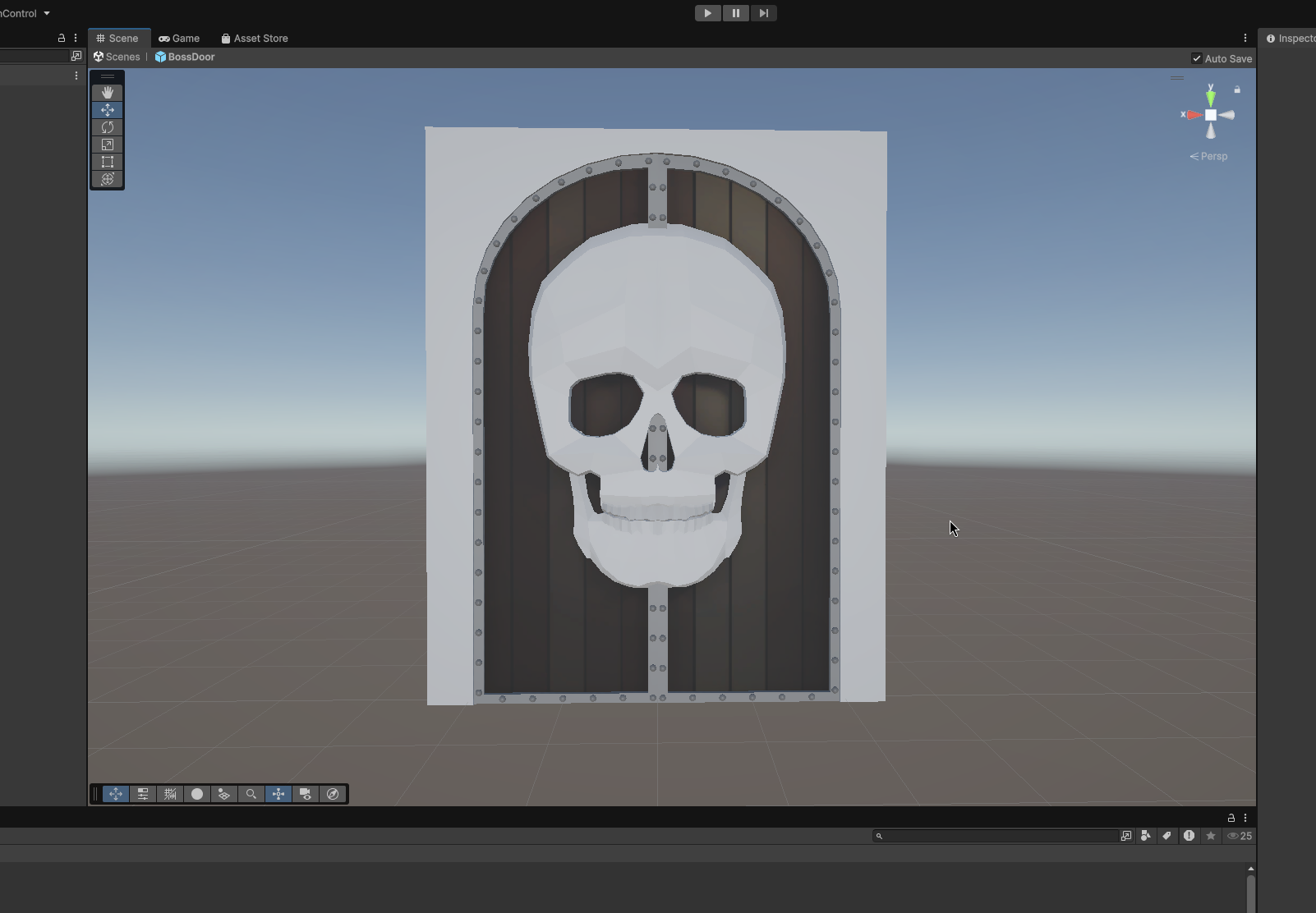
The average player did not look at the boss door, but try to run through as soon as possible even if that means constantly running agains the alpha wall. But well that hid the fact that the side of the door flickers. Propably cause by some z-fighting between the skull and the rim. The correct solution would be to merge models. But then i would have to reaplly all the materials. Rebake them. Re export them and propalby repaint the weights for the animation…yeah.
Future
I started thinking and discussing a bit the future of the project. We will propably not for a game companny. But simply squashing the repo into some sort of non public archive. Would be a bit sad and at the end of the day we did everything from scratch, except the engine, so there should not be a copyright problem. So i will defently remigrated the repo and blog back to github. Becuase the university hosting could vanish and i dont want to provide my server for the blog media into the endless future. Addiationally i would like the repository to become opensource, with an GPL-V2, MIT or some other licence. But that has to be decied by all team members consensually.
…and are both topics for the end and after the end of the project.
Last fixes.
fixed some still broken iamges in the blog fro mthe migration and finally added a favicon.
By David Ruff
Animation
Code cleanup to remove some console errors that could appear, even though they didn’t cause player-facing issues. Additionally, during the playtest some balancing work was being done on health and damage values of the enemies as well as the attack speeds of enemies and the player to improve the player experience.
By Moritz Mahling
-
Week 9
Lighting
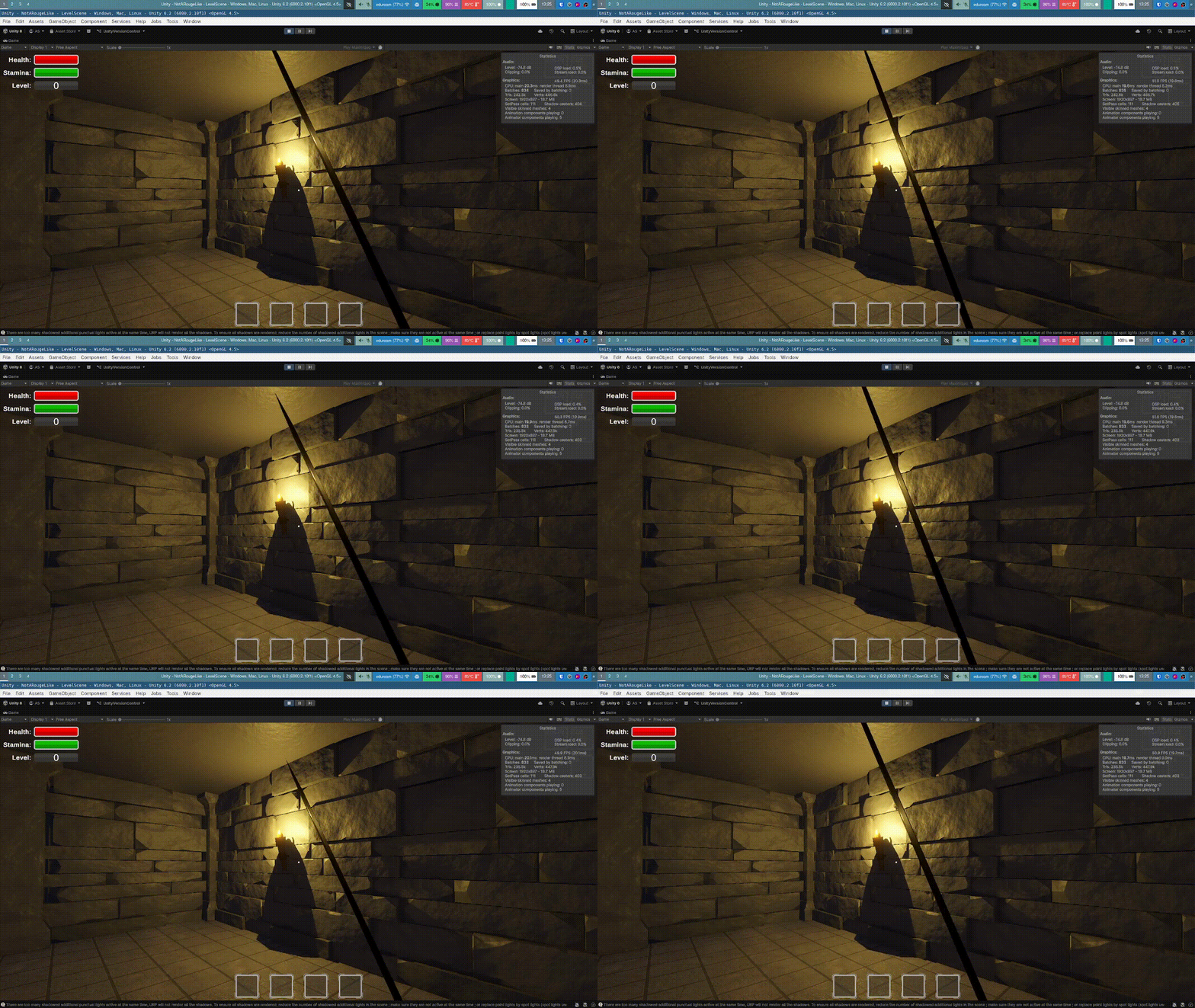
Improved the flickering effect on the torches by introducing a mass-spring-damper model that simulates the intensity swinging back to normal after a flicker ‘event’ occurred. This looks far more natural than the exponential falloff we used so far.
Set the torch color to be slightly more neutral. Set the ambient color of the scene to be a bluish gray, which is visible in unlit areas. This gives the dungeon a colder touch and enhances the contrast to bright areas around the torches.
By Axel Schneewind
UI
Implemented mouse-based input for the inventory and upgrade screen. In the inventory, items can be moved by clicking the source and slots.
Added two ui elements that show the total number of specific items. One is added to display all items of ammunition type (i.e. arrows) with their respective count in the inventory. A second one is added to show all buff items in the inventory (i.e. runes) with their counts. This way, the player can always see how many arrows they have left without opening the inventory.
Further, switched most UI components (mainly those related to inventory and upgrades) to event-based updating instead of polling. This nice performance-wise as ui elements might have to do some computation that should not be performed each frame (e.g. the new uis mentioned above have to traverse the whole inventory to compute their numbers).
By Axel Schneewind
A damage indicator has been added to provide the player with better feedback during combat. This indicator turns the screen border red when the player takes damage. The intensity and fade-out time depends on the player’s remaining health.
By Rene Tischler
Balancing
Filled out missing definitions for player upgrades and removed the perception stat as it is not really used currently and would require changes to game logic. I implemented the soft class system as mentioned in the presentation.
By Axel Schneewind
Last touches on the boss door
I integrated the boss door animation and made some last adjustments. It wasn’t exactly clear if the legacy or the modern animation system would be better. While i started with the legacy System. It was not able to make it work, or rather make it not work. It opened immediately at the beginning of the level. So i switch over to the modern system. While i had some problem figuring it out, i haven’t used it before. I made it work. Now we have a barricade to the boss room that only opens when the level is cleared.
Healthbar
I tried implementing health indicators. These should consist of two parts. The enemies should light up or have particle effects when taking damage, and all enemies should get a health bar. Right above there heads… or whatever the slimes have. After a discussion if we should use a bunch of canvases or one whole canvas. I decided to simply use a plane, for everyone. Always turning in the direction of the player. But i ran out of time before i could got it working.
By David Ruff
Enemy Behavior
In order to bring the overlord, that we added last week, to life, we created a script that controls his behavior. Since this enemy is our first boss in the dungeon, he should show a bit more complex behavior than our previous opponents. The overlord only spawns in the recently added boss room by Sven Gerber. At the beginning, he disguises himself as a statue in the room. This statue is located relatively centrally and on the opposite side of the entrance, which is locked by the boss door.
When the player enters the room and comes within a certain distance of the boss, he comes to life. To achieve this, materials were created that can blend between two appearances/textures. A corresponding shader graph was created for this purpose.
The boss fight is divided into four phases. At each phase change, the overlord roars and summons/spawns skeletons to help him fight the player. During this time, the boss is invulnerable and takes no damage.
To make the fight more challenging, the overlord has three times as much health as normal skeletons and has a slightly increased movement speed. The overlord chooses his attacks based on his distance to the player and the current phase. The boss can choose between three melee attacks (grab, punch, and swiping) and two ranged attacks (jump and fire breath).
To implement the jump attack, a rigidbody is used in addition to the animation to apply short directional jump forces to the boss. The fire breath was implemented using a particle system and a simple box collider that grows with the size of the particle system.
Furthermore, a bug in the opponent base class has been fixed, which allowed the attack coroutine to be executed multiple times. Another bug has also been fixed, which caused slimes to continue attacking players who had already died.
By Rene Tischler
The Boss Room
This week I implemented the Boss Room. The Idea was to create a Boss Room Prefab, which can be appended to one room of the dungeon. But this approach made it very hard to blend the entrance of the Boss Room smoothly into any wall. So after a few thoughts, this idea was scrapped and instead the boss room generation was implemented in the dungeon generation process.
In the dungeon definitions the variable hasBoss is used to check if the floor should have a Boss Room. The value of this variable is calculated depening on the progression of the player.
When a floor should have a boss room, a new room is added to the existing dungeon. The room has a fixed size and depending on the start room of the player, the boss room is placed furthest from the start room. Calculating the angle between the start room and the furthest room gives a direction where to place the boss room. With that the room is appended to a corner room of the dungeon.
These rooms are then connected via a corridor using the corridor script which is used to connect two rooms all through the dungeon generation. No furhter adjustments had to be done since the wall and pillar creation for the boss room and corridor follow the same conventions as any other room.
Since the Boss Room is quite big its lighting isn’t optimal especially in the center. Four additional pillars are added inside the room and torches are placed around it, which not only fixes the lighting probleme but also gives the room a more special feeling.
But what really gives it away that this room is a boss room is the beautiful and menacingly looking Boss Door, made by David, in the middle of the boss corridor which stops the player from entering the boss room until all enemies on the floor have been defeated. Finally the boss door had also a lighting probleme which I fixed by adding toches to the corridor pillars in front of the door.
Sadly a bug appeared which lets the boss room spawn in the dungeon not at a corner. This bug appears very rarely but it’s still an issue to keep an eye on. Probably the solution has something to do with the rotataion in Unity since the rotation on the Y-axis for -90° should be the same as for 270° but in the second case another flip also happening.
By Sven Gerber
Bug Fixes
Fix some player input, enemy logic and animation bugs.
By Guanpu Tian
Animation and Sounds
Further improvements and fixes to various animations that were already present in the game. Sounds have been added where applicable (sword hit sounds, bow draw sound, bow release sound, arrow hit sound). Implemented the animations for the boss and ensured that movement animations and attack animations or animations for getting hit are able to play simultaneously without interfering with each other (movement animations only apply to the legs, except for the jump animation).
By Moritz Mahling
-
Week 8
Assets
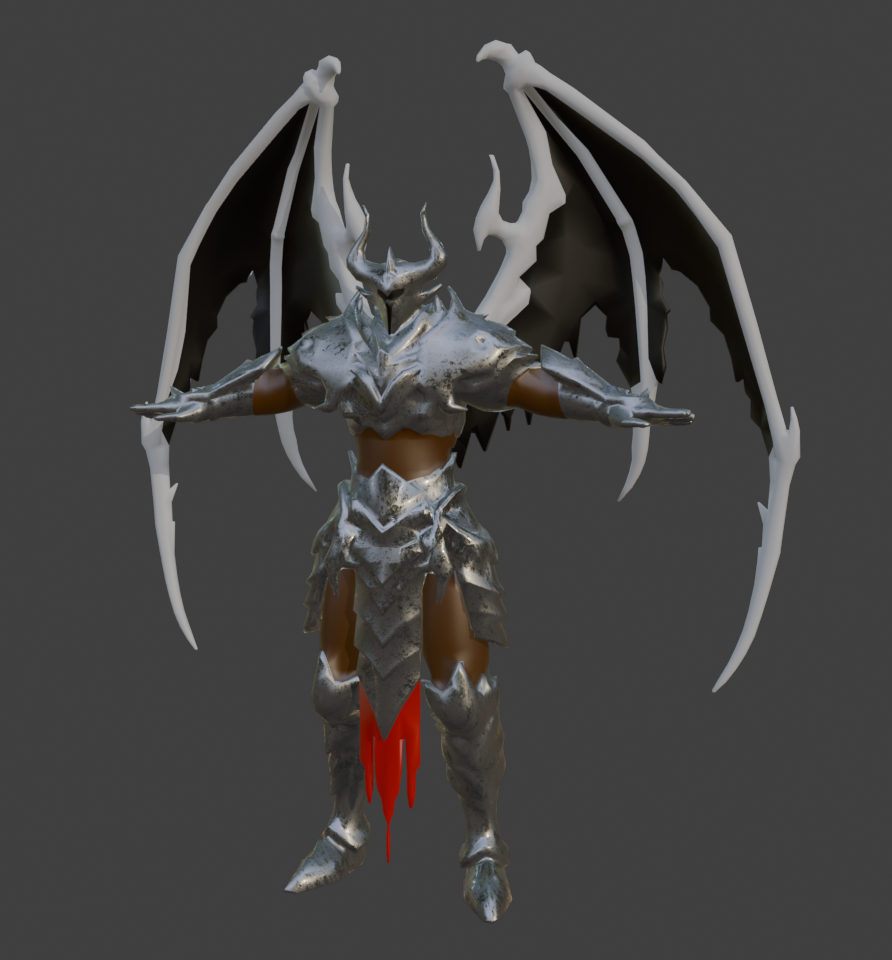
This week, Guanpu Tian added our first boss monster model. The model represents some sort of demonic overlord. Appropriate textures and materials were created for this model.
By Rene Tischler
Assets 2
Also the Boss room door is now exported and integrated into unity. Which was astonashingly difficult. Because i need one the one side my laptop got overwhelmed by the model. But also how do export and import the materials from unity to blender. Because the material systems are not fully compatible.
After a lot of trial and error i got a worklfow where is used the basic materials of unity and baked textures in blender. Atleast a color map and a normal map and some even smothness for metalic effects. That of curse for the wood of the door the skull, the rim of the door the rivets and the wall. The last one even got a new model, where the bricks physicall extend from the wall.
The animation was easier to export, but i had some trouble getting animations to work in unity, because i had never used either animation system. So i tried both. At the end i wen for the new animation system, even if i only have animation that dosnt need blending.
I am quite happy, because the door does not simply open. But the skull first looks angry, before the wings of the door start to swing open with increasing force. Before the smah into the wall and get thrown back a little before fully opening.
Then i only need to subscribe the end of the animation to remove alpha wall. I thought for a sceond if i should implement a realisting collision for the door. Which would allow the the player to try to squees through the opening door wings…but this is way is far simpler.
By David Ruff
Enemy Behavior
To eliminate the glitch that caused our two opponent types to freeze during combat, the base class and the two skeleton classes were reworked again. Several variables that allowed the skeletons to enter an undefined state, from which they could not recover, were removed and replaced with an enum variable for determining their state. This ensured the desired state stability. Furthermore, for better handling, we switched to coroutines for the hit zone and projectiles. This allows us to better coordinate with the animations without the need for all the timers in the update function.
By Rene Tischler
Slime Behavior
Create Slime behavior. All slime animation is shader program calculated in real time instead of skeletton animation. It should seem very bouncy, juicy and jelly. Once it found player, it will chase player slowly until death. Slime will jump to player to attack with a low damage. When It attack it will turn into red. Slime also has a high health, which means it is hard to kill. Although it is slow and low damage, but it keep chasing and attacking, which makes it a kind of very annoying enemy. But arrow can cause double damage to slime, and when it get hit by player, it will be pushed back for a distance, so player can have a breath.
By Guanpu Tian
Animation IK And Bow Logic For Warriors
Implemente the logic how player can draw a bow, hold a bow and release to shoot. Use IK to align warrior animation and bow animation to make Warrior’s finger on bow string when drawing and holding. Use a dummy arrow to indicate player you have arrow on bow. But because the dumy arrow points not into monitor center, so it is not the arrow which be shot. The arrow shot will generate when player release the bow, and the dummy arrow will transfer into quiver. When player has no more arrow, there is no dummy arrow when drawing the bow, which can notify player, that your quiver is empty now.
By Guanpu Tian
Level Generation (Items)
Improved loot placement in the level. Until now, we only had chests with some random items as loot.
Now, I implemented attaching loot to any object such that the loot gets dropped on destruction. With that, we can attach loot to enemies and have them drop it when dying.
I improved the level generation such that first, a budget of loot is sampled. Here, the level parameters are used (available gold, available xp, ammunition per enemy). Then, when placing chests and enemies in the scene, random loot from that budget can be added to them. Further, now the dungeon creator also places one large chest in the level, which has more loot. The loot for this large chest is sampled from an exponential distribution (independent of loot budget), to make it more unpredictable.
Level Generation
Tweaked torch placement such that we have them slightly further spaced. Increased the intensity of torches such that the dungeon remains bright enough. Also, until now we had 3 light sources per torch, which I now replaced by one such that we dont get issues with limitations in the number of light sources.
Enemies spawning
Enhanced enemy spawning. Now these get spawned in a (poisson distributed) number of groups, each with a poisson distributed number of enemies.
I use poisson distributions because they make it easy to balance the expected amount and expected number of enemy groups per level, while still achieving a lot of perceived randomness and unpredictability.
By Axel Schneewind
Animations
Further bug fixes for all animations and refinement of the bow shooting animations to allow for charging and holding the bow before releasing to shoot.
By Moritz Mahling
-
Week 7
UI
Sprites
Added sprites for different ui elements, so when don’t have to use the default sprite of unity. The decoration pattern for the windows has been inspired by the UI of Skyrim.
Item rendering
Until now, we couldn’t display items in the ui (inventory and hotbar). I created a scene with a script that can be used to render arbitrary objects (e.g. items and currencies) into a texture. The script attaches a callback to the
endCameraRendering-event of URP and writes the rendertexture of the camera into a file. With this scene, we can easily create textures for items with consistent lighting.Unfortunately, I didn’t find a way to have the camera background initialized with transparent pixels. For this reason I currently use a green-screen-like approach where a configured background color is replaced with transparent pixels.
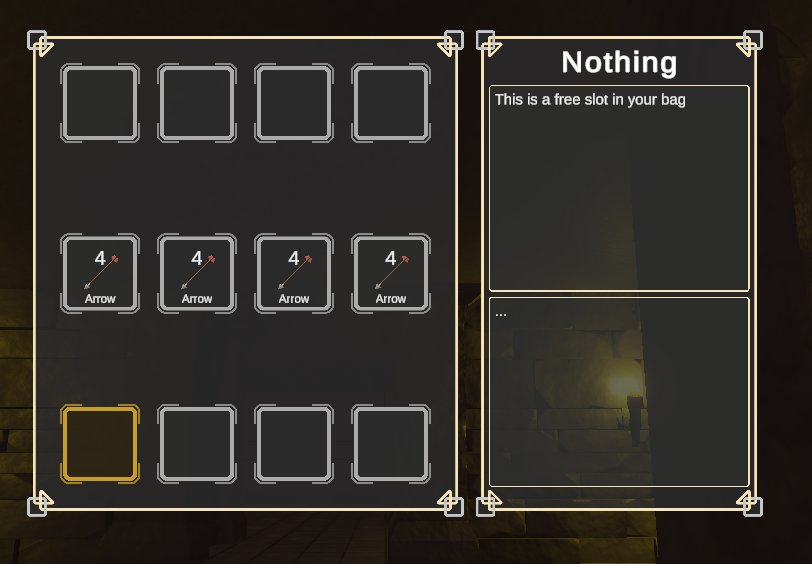
Inventory
From player-feedback we concluded that we would like to disallow arrows from being automatically placed in the hotbar. I added a filter by specifying per slot what types of items can be automatically placed in it.
Improved item swapping in the inventory. Until now, grabbing an item and navigating through the item slots caused the grabbed item to be swapped to the next slot on each navigation step. This is unintuitive and not suited for mouse-based item dragging. For this reason I rewrote the swapping semantics such that a grabbed item is swapped only after releasing it.
Mouse-based item swapping has to be implemented stil.
By Axel Schneewind
Infrastrukur
Today we reached the lfs quota limits of the free plan. To be more precise the bandwith quota. The result was that none could pull and by extend not push either. That was also the case for the ci/cd building and deploying th blog. So big changes need to be made quickly.
The blog got all lfs objects (pictures and videos removed). They are now brought via nextcloud onto my server. There they get served via a simple nginx. Then all links in the blog needed to be updated.
For the main repo it was a bit more tricky. At the end we moved to the uni-stuttgart github instance. At least for now. Moving was a bit of hassle because i couldn’t just pull the newest version.
Sadly some changes of this week where lost.
I hope that is the last time i have to emergency administrate something. It took atleast a complete day and i dont mean 8h and fellt like it took a whole month. By David Ruff
Enemy Behavior
Our second opponent, the ranged skeleton, now spawns in the dungeon. At the start of the game, this skeleton finds the most central point possible in its spawn room and looks alternately in the direction of the corridors connecting the room to the rest of the dungeon. This is to ensure that the ranged skeleton is very likely to spot and attack the player.
Nevertheless, it is still possible to sneak up on the skeleton and attack it with clever timing. If the player gets too close to the skeleton, it will try to maintain a minimum distance and run towards one of the nav points in the room.
There still seems to be a glitch in both enemy types that causes the skeleton to freeze and no longer react to the player. This bug needs to be fixed as soon as possible.
By Rene Tischler
Assets
Remake Boss model and animation.
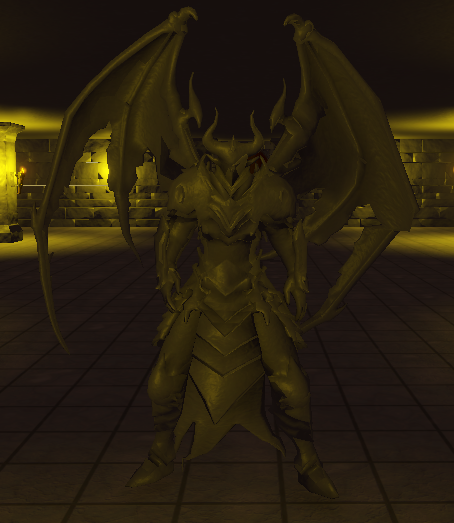
Including locomotion, 3 normal attack, grab, roar, fire breath, different hit react, jump attack, dying.
Remake slime in a method with better performance.
By Guanpu Tian
Animation
This week, the focus was on fixing some remaining issues related to the animations of the player model, such as the sword disappearing at certain viewing angles and the movement animations for the player model reacting slowly to changing input in certain conditions. Additionally, a first bow shooting animation has been implemented.
By Moritz Mahling
-
Week 6
Combat System & Enemy Behavior
To improve code clarity, old unused scripts for the swords were removed. Furthermore, the hit zone and opponent classes were made abstract in order to inherit them and avoid code duplication.
The behavior of the melee skeleton has been revised. As soon as it reaches a nav point, the skeleton turns toward the center of the room to look around. This increases the probability that the player will be seen. If the skeleton is hit by an arrow while walking, it now stops and turns in the direction the arrow came from.
These changes are preparations to enable additional types of opponents. We are currently working on adding a ranged skeleton. A corresponding prefab has already been created, and the corresponding animator controller that uses the necessary animations is currently being created.
The number of error messages caused by the RuntimeNavMeshBuilder has been drastically reduced. To achieve this, models that are irrelevant for the movement freedom of opponents have been moved to other layers. For models that are relevant, the NavMeshObstacle component has been moved to the correct object. This led to a more reliable construction of the NavMesh. Now only TextMesh Pro meshes cause error messages at startup, even though they are located in their own UI layer, which should be ignored by the RuntimeNavMeshBuilder.
By Rene Tischler
Animations
Movement and Attack animations of the opponents and the player now scale with their corresponding factors given in the stats. Additionally, the player animations have been made generally slower as they were looking whimsical, especially when sprinting. The combat animation layer for the player now also uses an avatar mask so that it only applies to the relevant parts of the player model. The bow and quiver models have been added to the player prefab and become visible only when in the corresponding firing mode. Some setup work has been done to use the proper bow animations when the bow is in use, however a new shooting mechanic is going to be required to make proper use of the draw and release animations where the player first has to draw the bow, and the shot is only made on release. As such, the bow animations are still unfinished.
By Moritz Mahling
Items
Extended the logic for item definitions such that we can define items that affect players stats. As an example, added an item (‘rune of swiftness’, currently without proper assets) that makes the player faster.
UI
The ui for player upgrades now shows the effect of an upgrade. For example, when selecting the ‘Agility’ stat, a ui element shows that upgrading the stat increases increases movement speed by a factor xy.
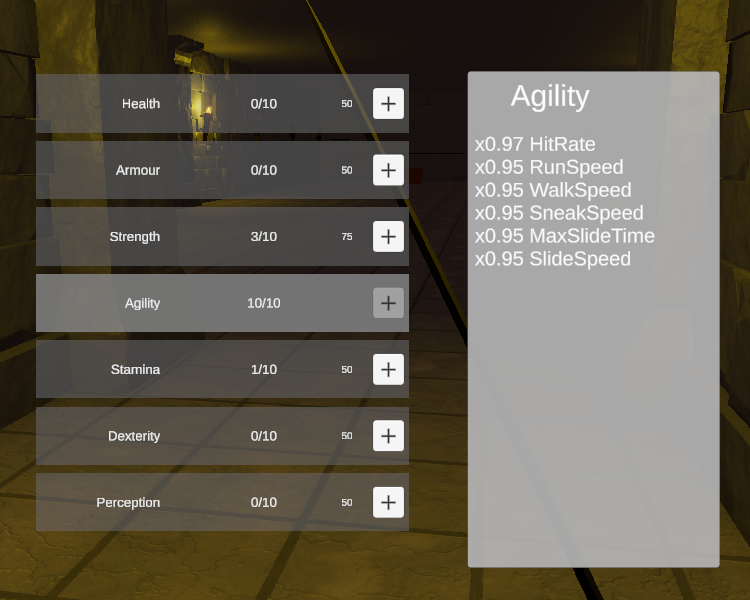
The ui for items now shows a description of the item and its effects (if it has any). E.g. for the ‘rune of swiftness’, it shows the player that the item increases movement speed by some factor.
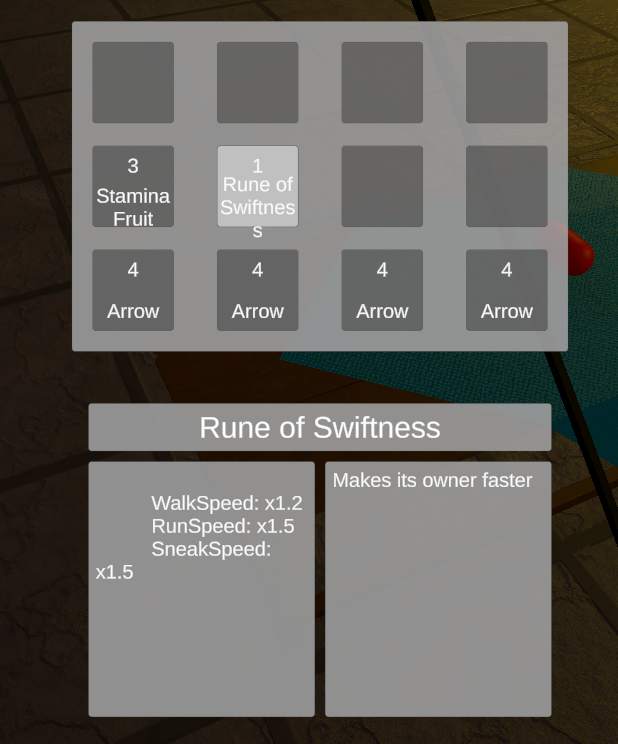
For the final game, we have to add proper sprites and define display names for the stats that are displayed as seen above (which simply use enum identifiers currently).
Under-the-hood code improvements
Scene initialization
Until now, all initialization logic of a level was spread out across the
Start-methods of multiple scripts, including Dungeon creation, reading game state files, computation of player stats. This is not robust, as the order in which these methods are called is unspecified and might not even happen sequentially.I implemented a component that triggers a UnityEvent when its start-method is called. For this event, we can configure in the editor which setup-methods to call in which order. With that we can configure the initialization process in one place.
Player Input
Switched to the new input system of unity with a mix of polling and callbacks. Configured the action maps for the player and the ui to match the mappings that were previously hardcoded. This step enables us to easily reconfigure the input bindings and optionally define different handling of tapping or holding keys.
UI
For the UI, I refactored our implementation of the ui state machine to be more robust and configurable/extensible. Now, we can specify a set of ui elements and for each, in which states it should be enabled. Further, cursor lock can be configured for each ui state. In addition, I added the possibility to configure enabling/disabling of input action maps and individual actions depending on the ui state.
By Axel Schneewind
Boss Room
The Door is functional meaning it has an modelis rigged and has animation. Next are some improvments of the material. Also i want to import it into unity so we can inegrated it into the dungeon creation and test it.
With the hope that i can later change the model and textures.
By David Ruff
Assets
Tried sculpting to create complex boss model.
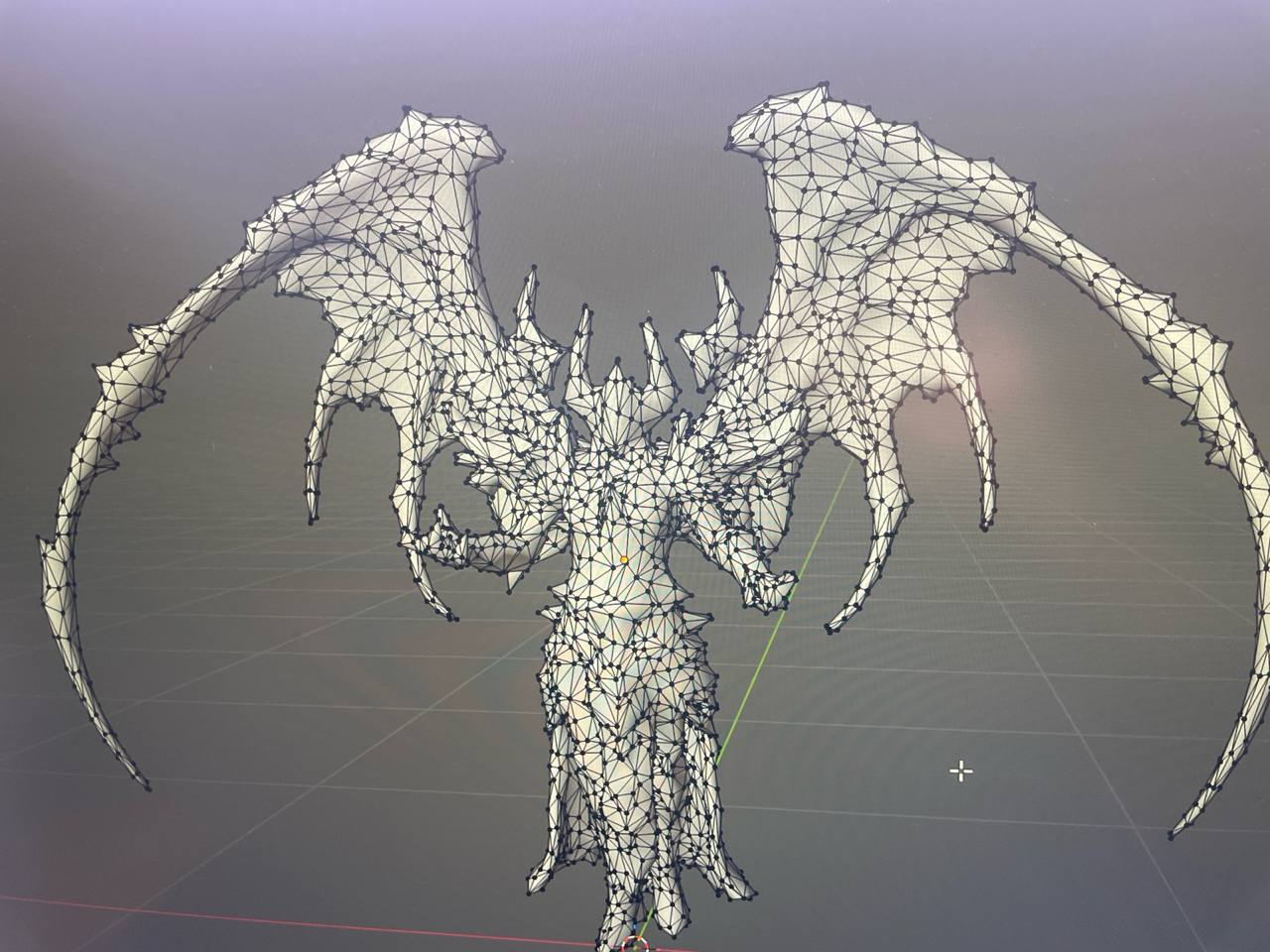
But after model simplification, all details are lost.
Model rig are also terrible.
And I am very bad at sculpting face.
Also made the first version with slime.
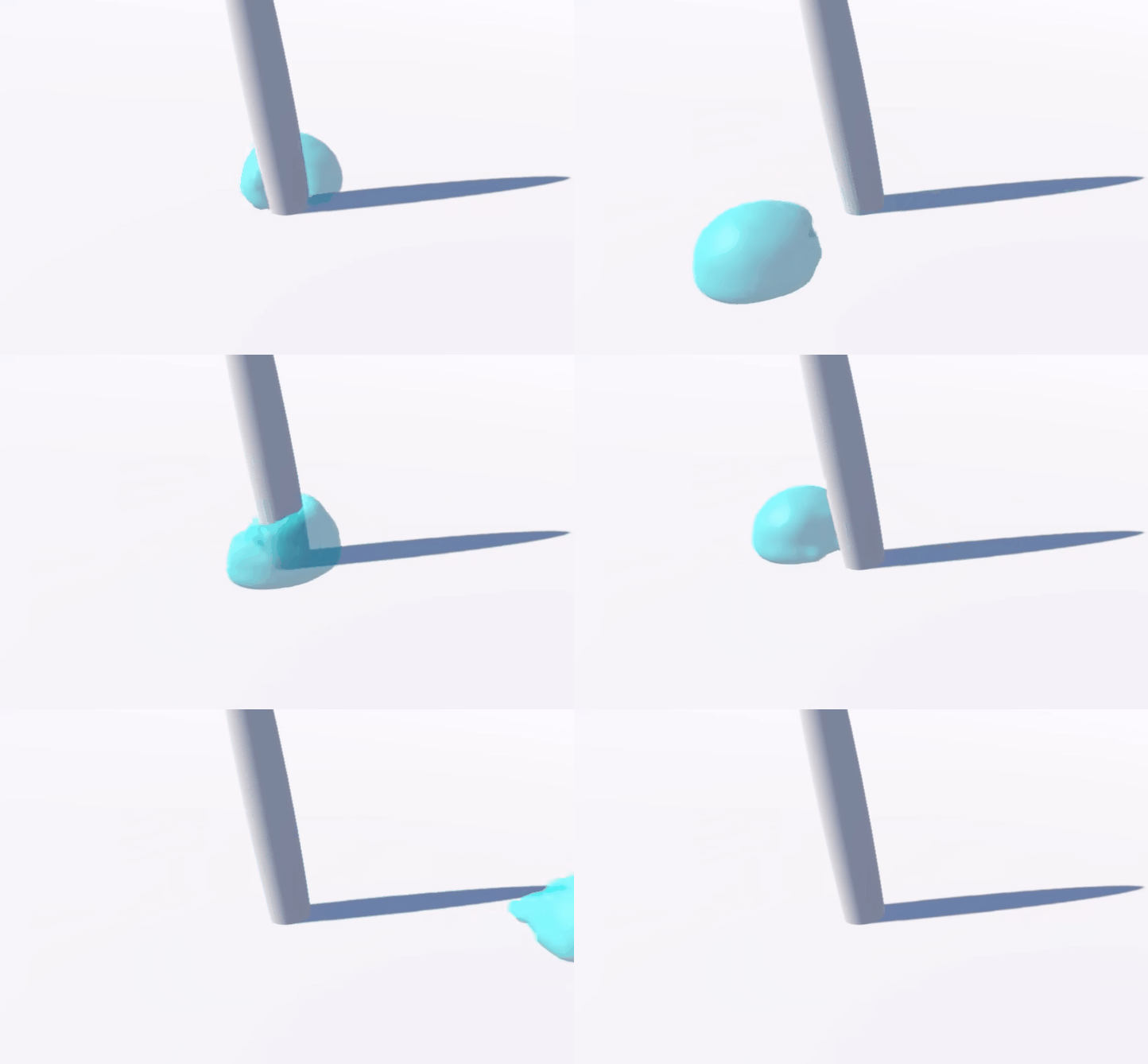
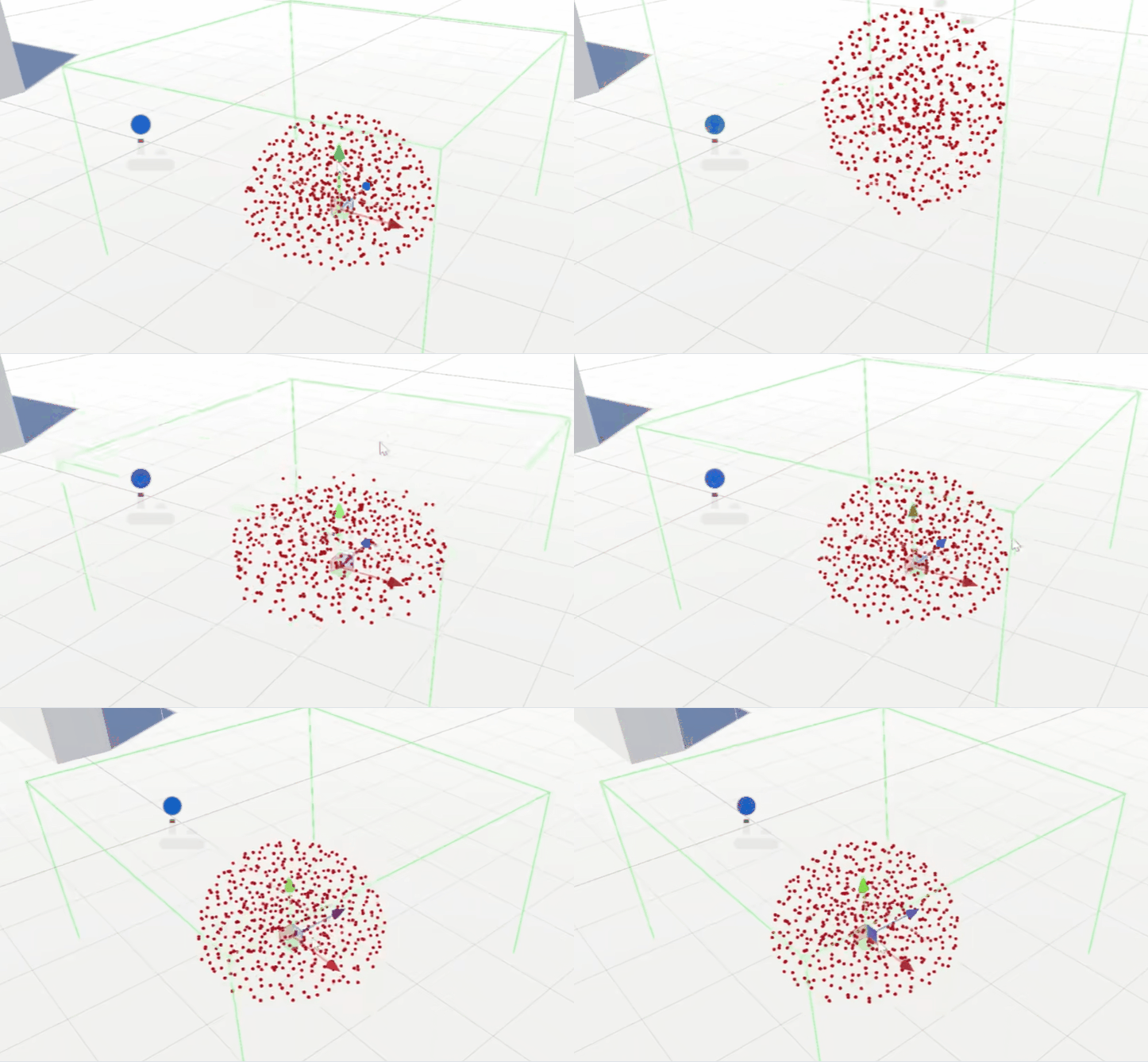
Try to use FEM to simulate slime animation instead of skeletton animation.
It works bouncy and can be divided.
But cost too much performance.
Have to remake both things.
By Guanpu Tian
-
Week 5
Lighting
Until now, the lighting data for our scene is the default one (in particular, using a skybox and directional light). I switched the lighting entirely to the torches placed in the dungeon and regenerated lighting data. Further, I implemented flickering behaviour for the torches, based on a poisson distribution.
UI
Added a crosshair and a text element to the UI to show that the player can interact with an object.
Gameplay
Improved the behaviour of projectiles. Switched hit detection from collisions to raycasting which allows arbitrary projectile speeds. Further, arrows can now stick to objects (disabling physics, i.e. setting rigidbody to be kinematic) and fall down when that object gets destroyed (i.e. enabling physics). In particular, arrows now get attached to the animation bones of the opponent, thereby also matching its movements.
With these changes, arrows now stay in the scene and can be picked up after being shot.
Balancing
Added a component to define dungeon properties depending on the level. These definitions should be used by the dungeon generation algorithm.
By Axel Schneewind
Assets:
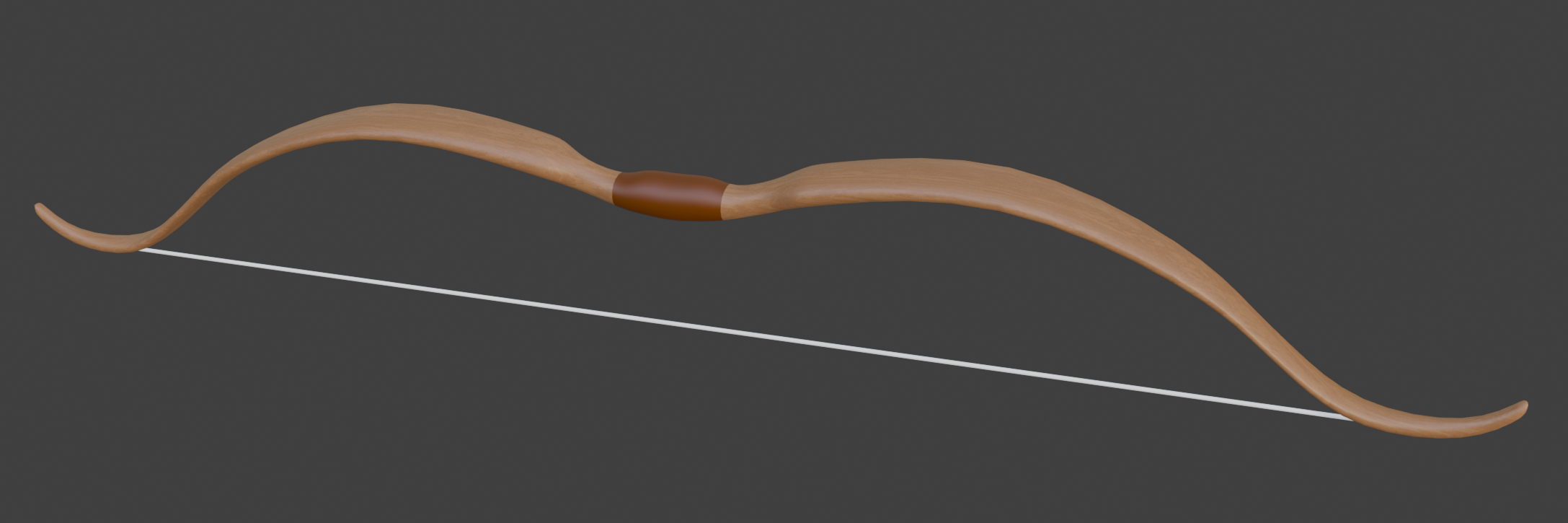
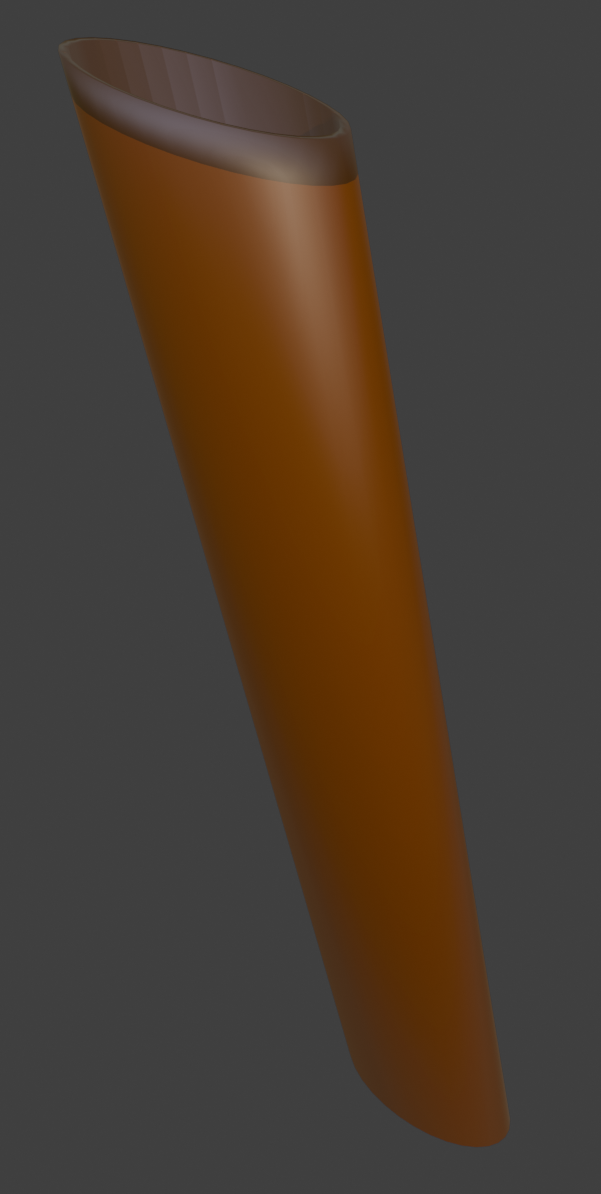
Minor flaws in the mesh of the existing bow and quiver models were fixed. Textures and materials were then created for these models.
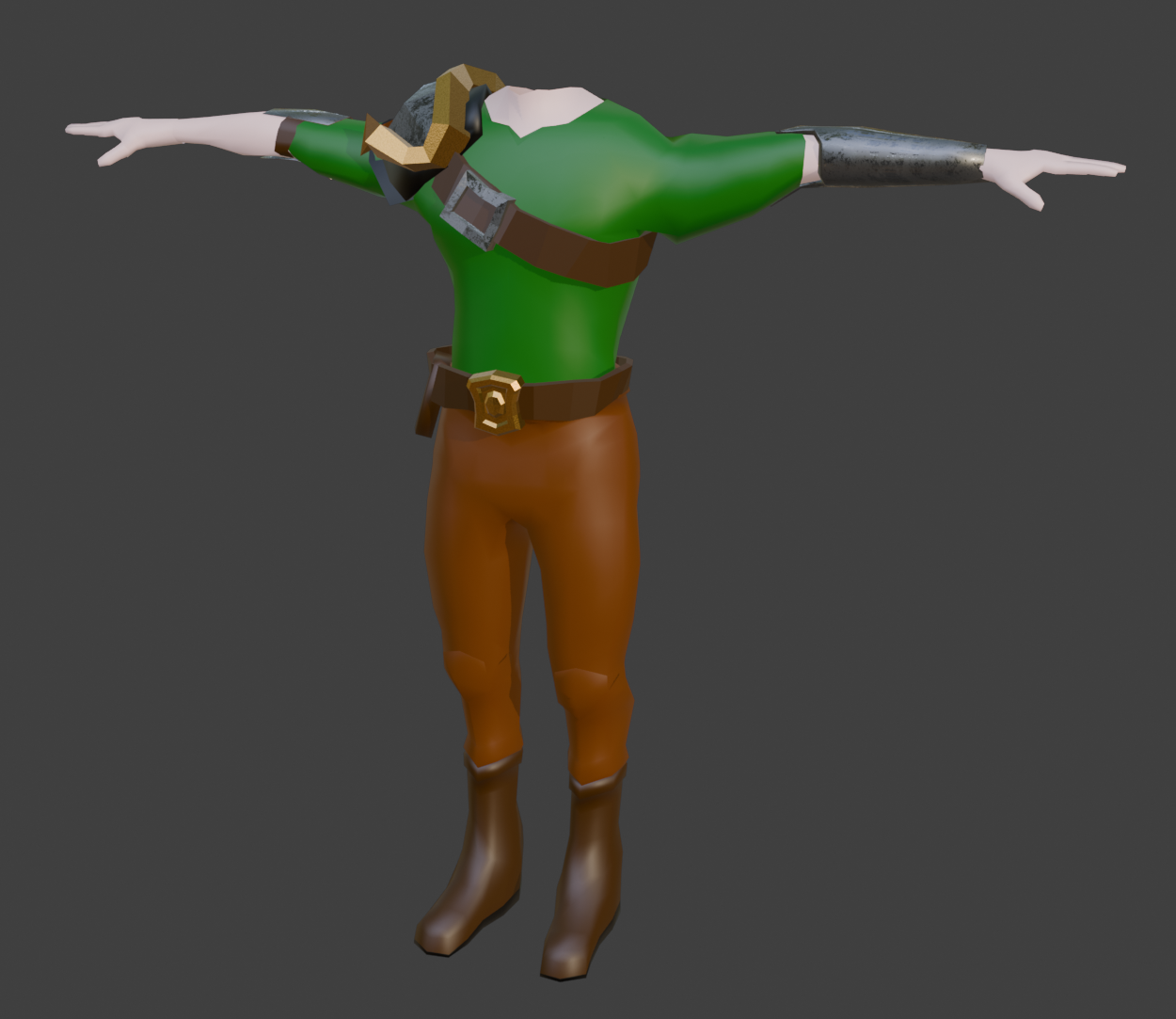
Textures and materials were also created for the new warrior model designed by Guanpu Tian.
By Rene Tischler
Animation and Models
Finished Animation of Warriors.
Including multiple Attack, Block, Jump, Shooting Arrow.
Please check in project.
Start Boss Model.
By Guanpu Tian
Dungeon Creation:
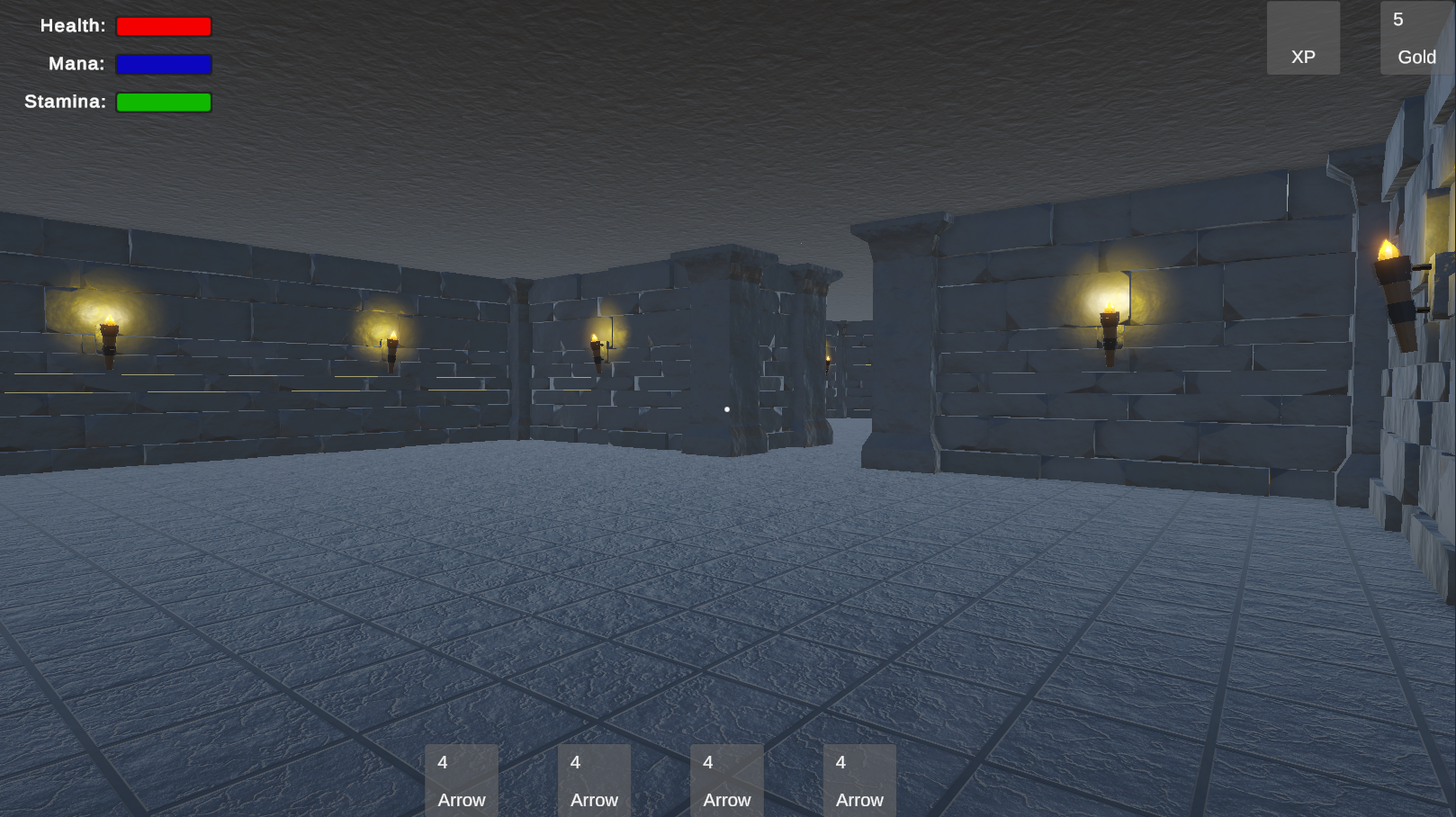
During dungeon generation, instantiated assets are no longer placed arbitrary in the scene hierarchy. The generated level is divided into segments, and the assets are instantiated as children of these segments. This makes the scene hierarchy much less cluttered.
Furthermore, ceiling meshes are now also generated. Both the floor and the ceiling now use their intended materials.
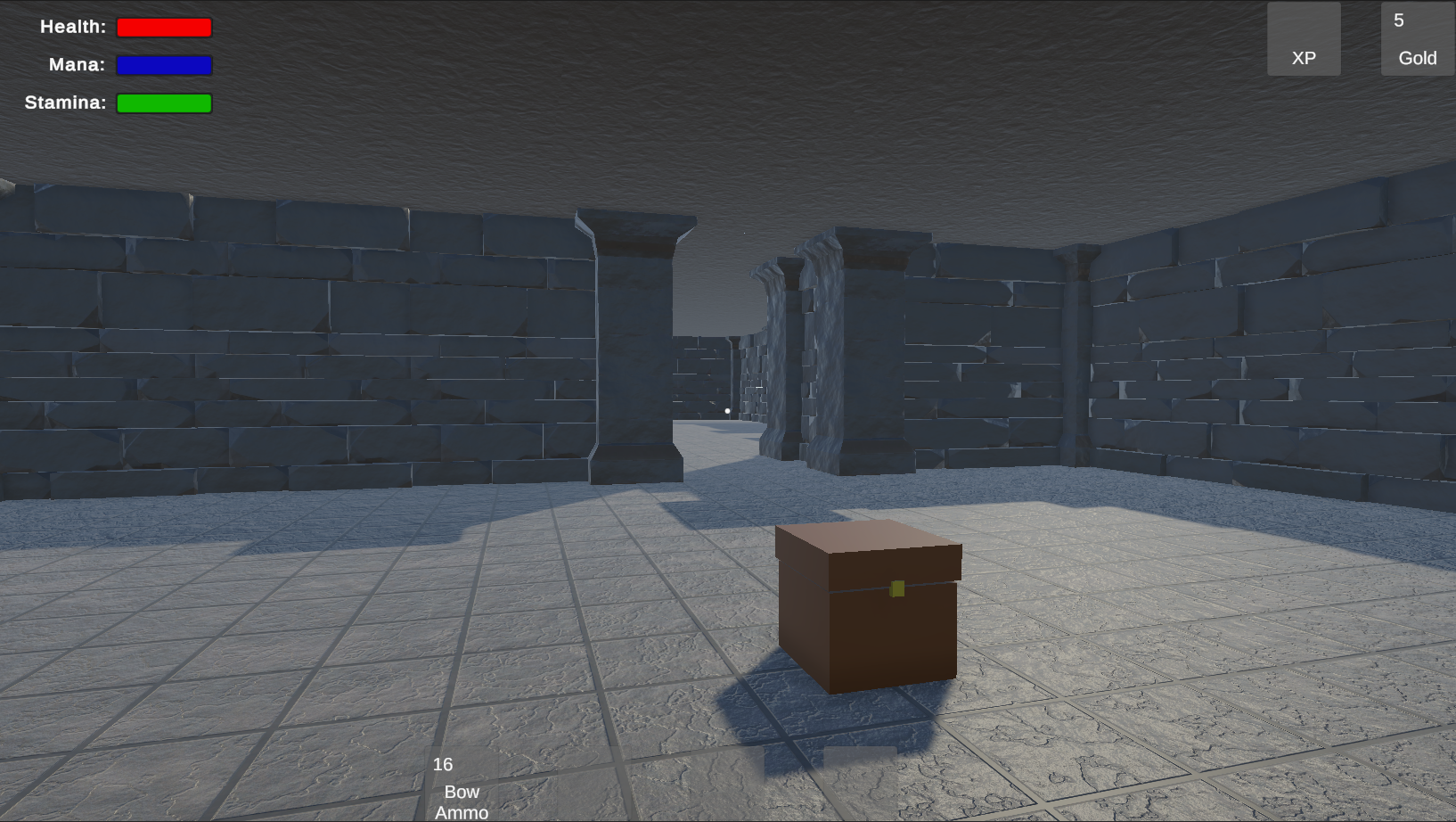
Torches are also placed as evenly as possible on the walls so that they can illuminate the dungeon in the future.
By Rene Tischler
Awkward Corridor Fix
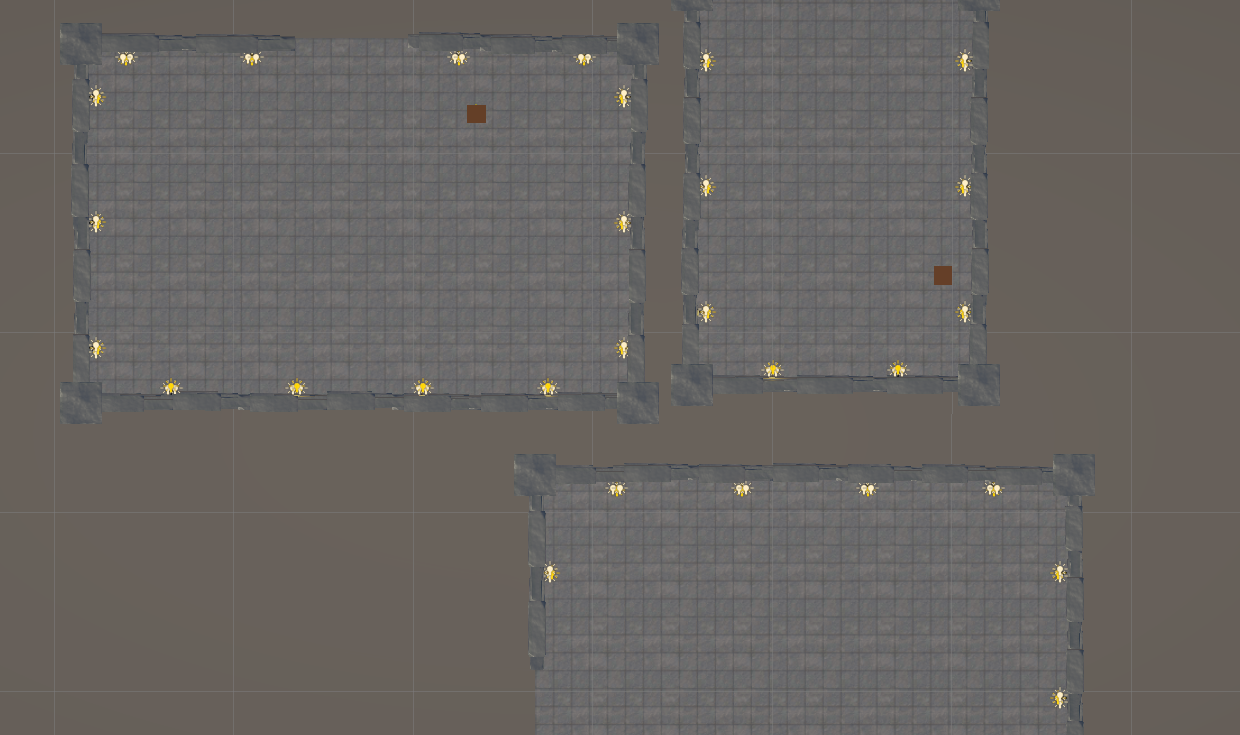
During the dungeon creation the calculations of the corridors could end in “awkward” corridors, how we call them. The Problem can be seen in the reference picture. The Algorithm could choose the left room to connect to the bottom room. But since the connecting space between the rooms is insufficent a barley or not even passable corridor is placed. To fix this error, the corner of all possible rooms for connecting two partions are checked. For example in the reference picture the length of the left bottom corner of the top room to the right top corner of the bottom room and vice versa. Dividing now the smaller length by the lager length gives a proportion from 0 to 1, on how much the rooms overlap with eachother. With 1 meaning they overlap 100% and 0 meaning they dont overlap at all. Now the Algorthim searches for the largest proportion and with that the probleme of akward corridors is fixed.
By Sven Gerber
Game Saving
A minor bug that prevented the game save file from loading correctly has been fixed in the game save system developed by David.
By Rene Tischler
More Models
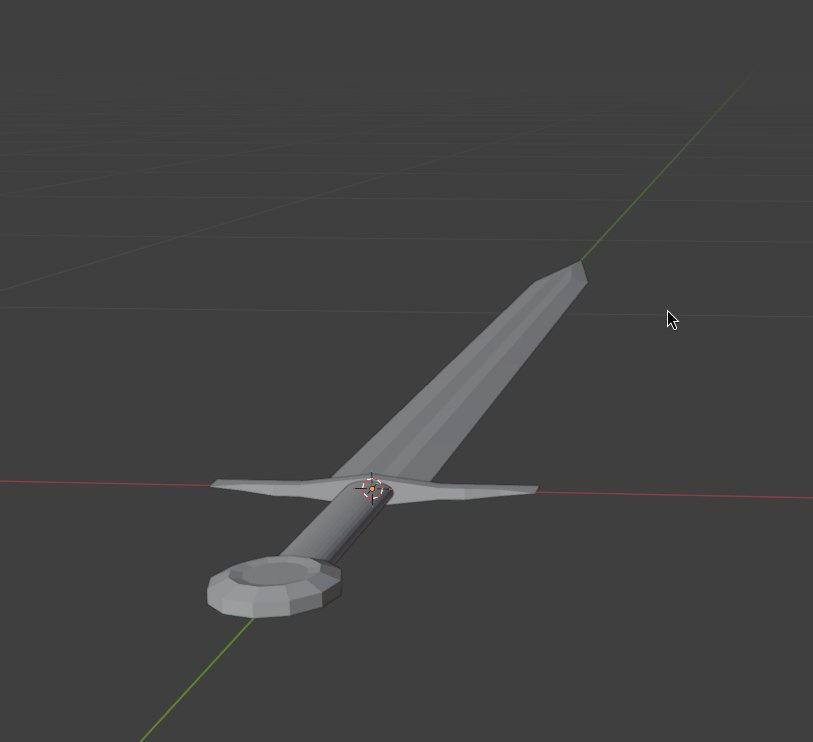
With most of the code done i needed new tasks and dipped my toes into modeling, by starting with some simple tasks. Because of that we now have an improved sword model, for player and enemies.
I also tried something that i never event atempted befor, recording foilage. Meaning small background sound snippets. The challenge hear is that cou cant simply record the real sound, because the real thing often sounds very bad when recorded and some might not even exist. So i tried banging a sword against various metal and wooden objects. The best reoults where with a sword and a butterknife as well as the tripod of a telescope. Now we have some foliage sounds for the sword.
…and i began working on the door for the boss room.
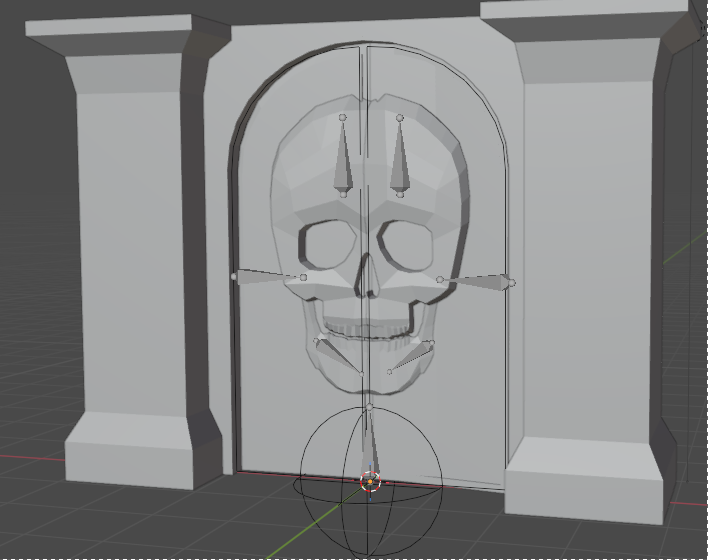 Which is signifcantly bigger and more complex.
The concept is it should block the entrance to the boss room, duuuh. So it should have also higher quality because it is way easier to see then the sword and propably more interesting then a wall.
Which is signifcantly bigger and more complex.
The concept is it should block the entrance to the boss room, duuuh. So it should have also higher quality because it is way easier to see then the sword and propably more interesting then a wall.so it will get a quite complex model, textures and an animation. I am currently already working on the animation.
Next steps are materials and foliage for it.
I also needed to do some maintaince on the blog and the generell infrastucture. Nothing major but i hope it keeps it running and i dont have tom emergency fix something.
By David Ruff
Combat System & Enemy Behavior
The player now uses the new first person warrior model. The model is animated using its own animation controller that supports movement in all four directions, an idle animation, a jump animation and an attack animation. The movement animations are sped up when the player is sprinting. The attack animation is on another layer so that it can play in parallel with the movement animations.
By Moritz Mahling
-
Week 4
Assets:
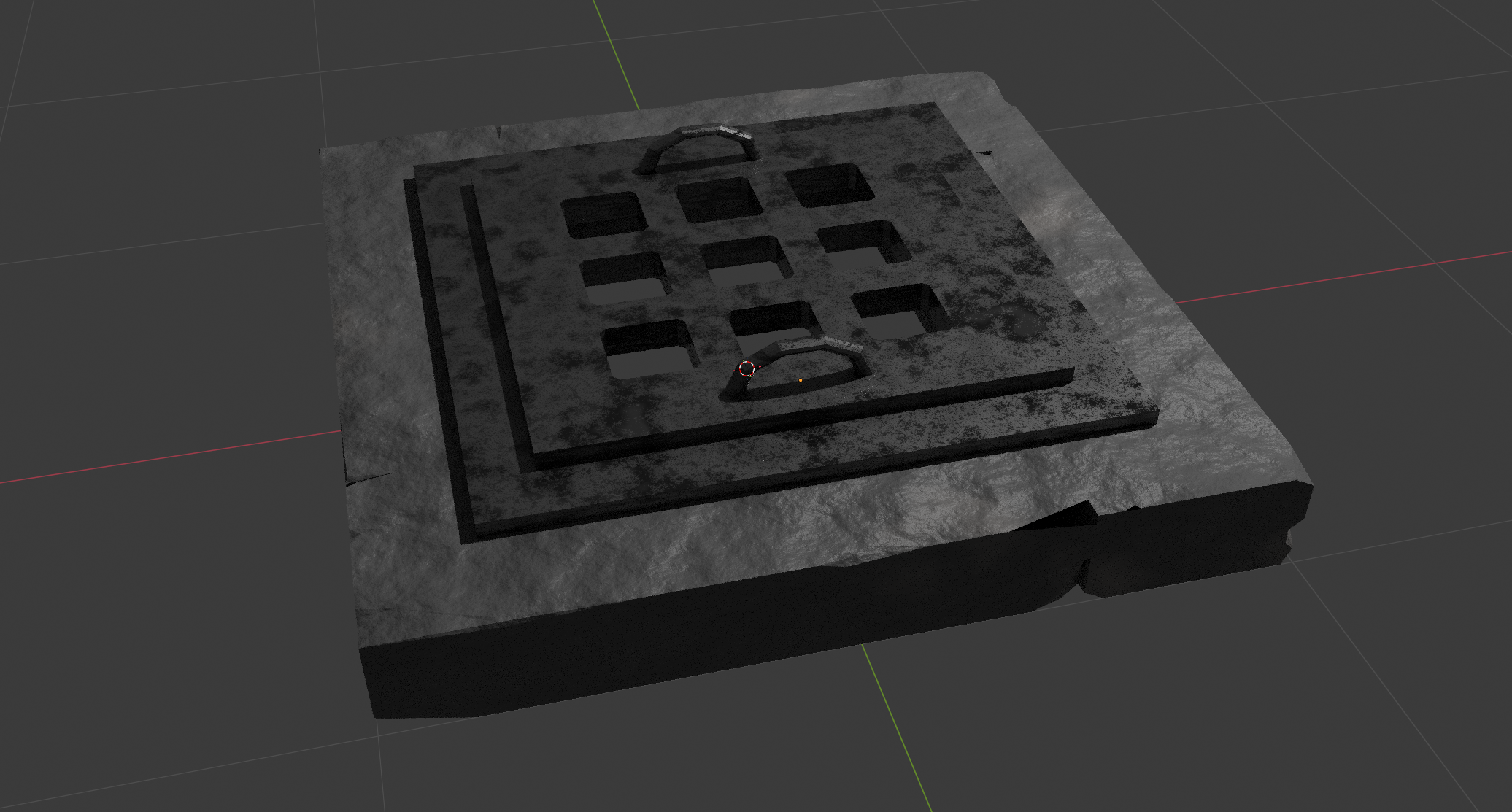
Since the user is supposed to advance in the game by exploring the dungeon, once they have fully explored a floor and defeated all enemies, there should be a way to proceed to the next level. To do this, a new floor must be generated. In order to make this possible, we decided that the player must interact with an element in the game. In our case, a trapdoor. This trapdoor was created together with the appropriate base, metallic, and normal textures in Blender.
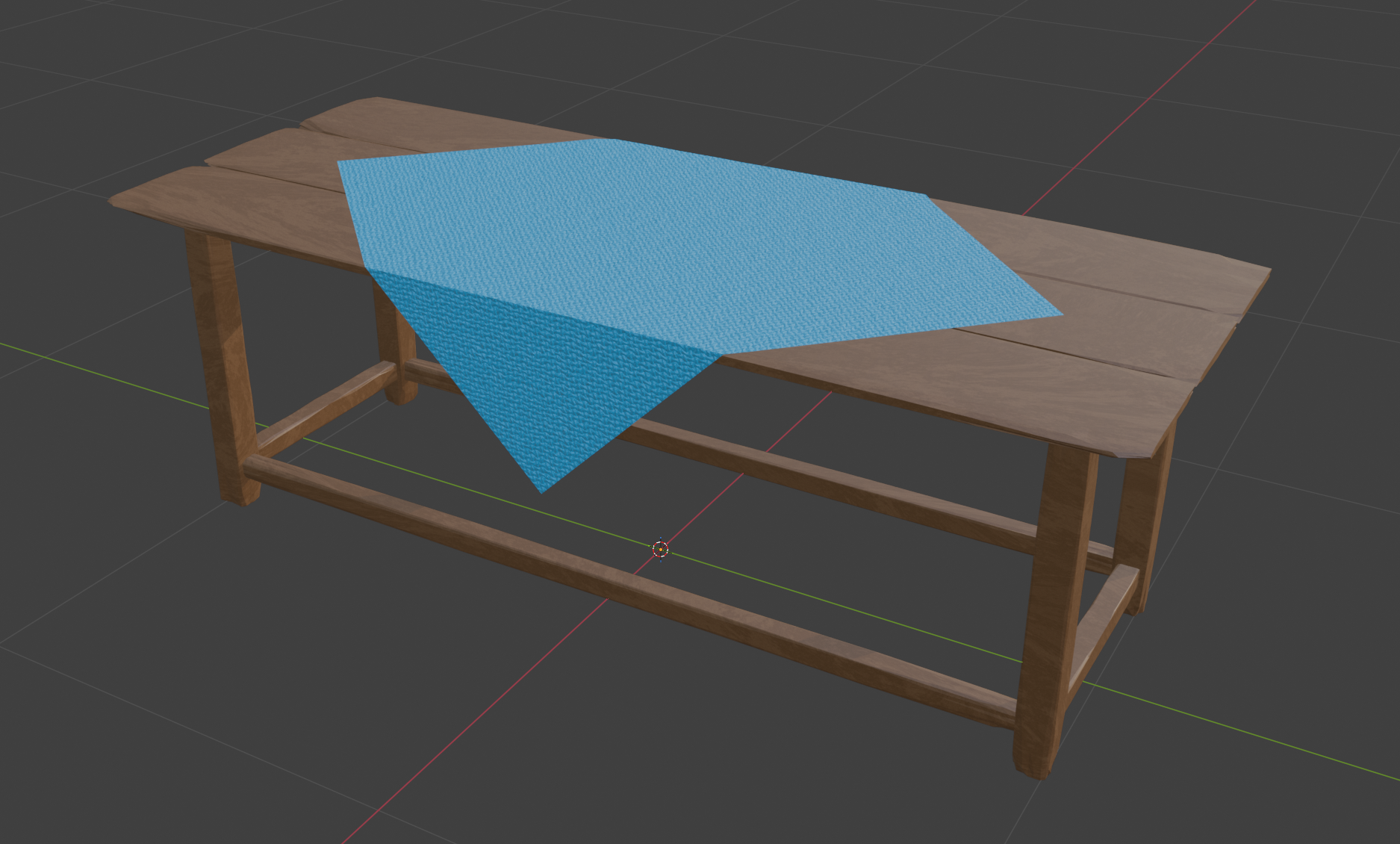
To enhance our shop, which can be found in the dungeon, a model of an old table was created. Wood and fabric materials and the corresponding textures were created for this table.
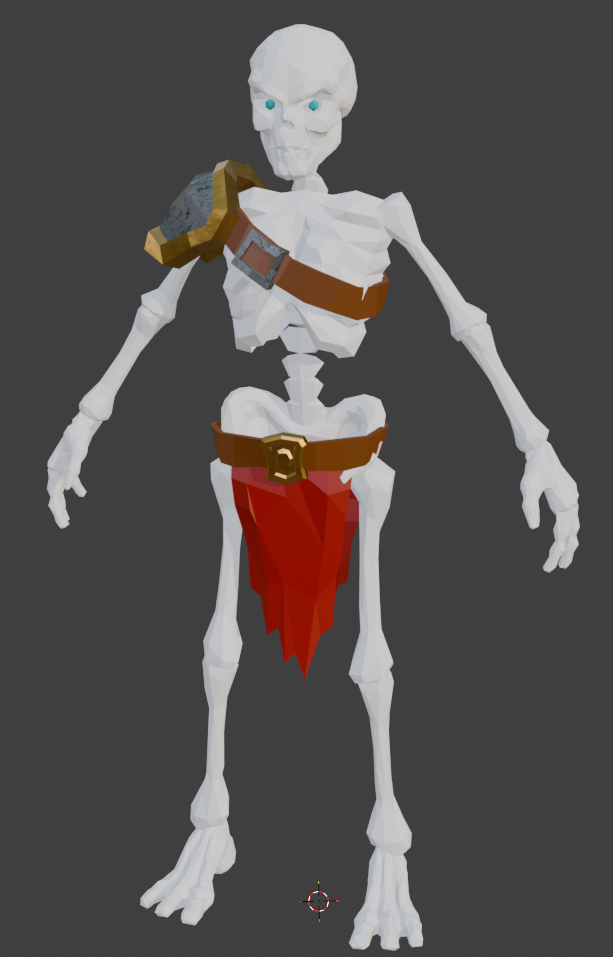
To make the existing skeleton soldier more visually appealing, suitable color and metallic textures were created.
By Rene Tischler
Create model for player, the Warrior.
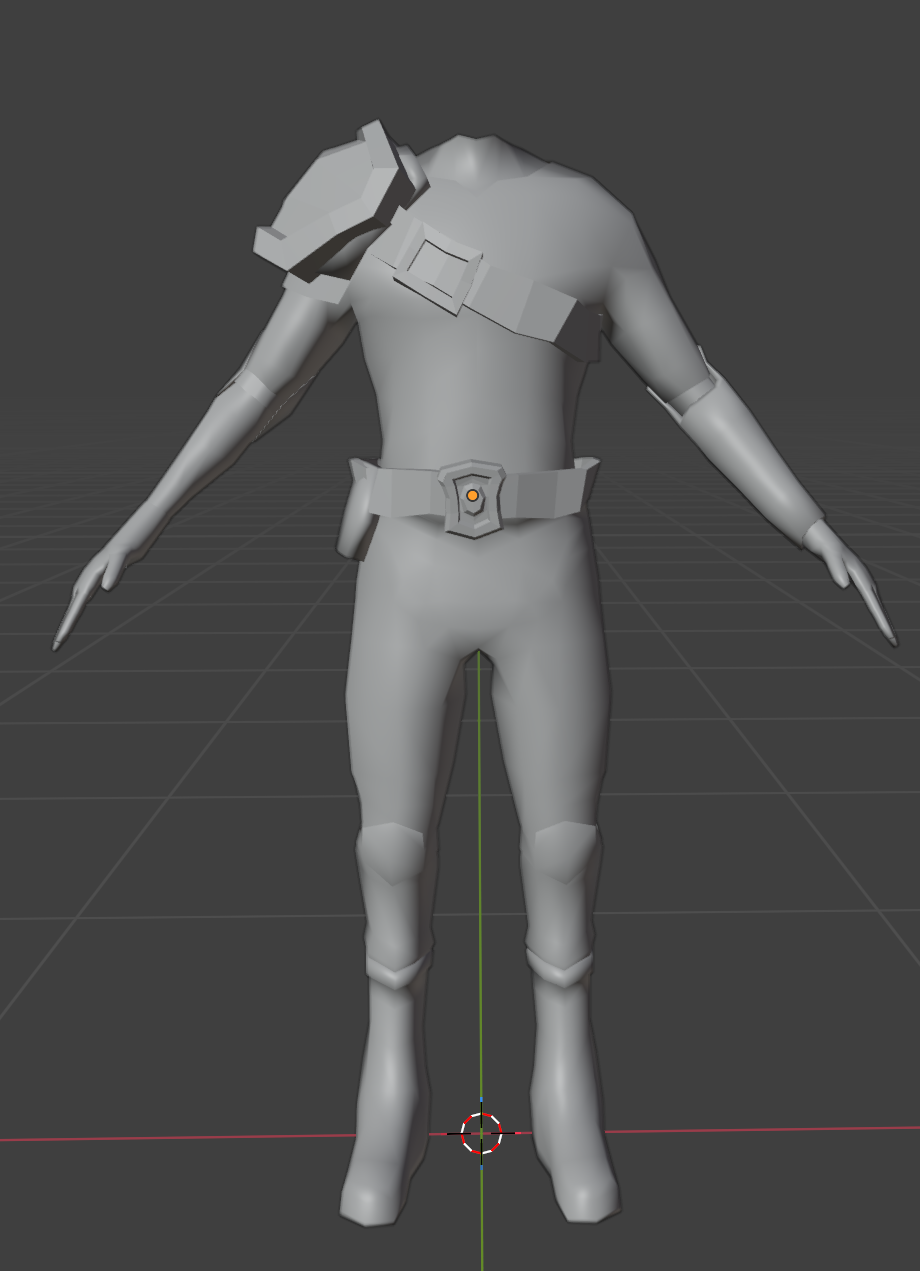
It is a warrior model without head, beacuse the game is a First Person Game. Motivation comes from the Link of Legend of Zelda last century.
Also Created locomotion animation of Warrior.
Refined Bow model and rig.
By Guanpu Tian
Level progression
Dungeon creation now places a trapdoor in the room furthest away from the player. Interacting with the trapdoor after clearing the level takes the player to the next level (simply incrementing a level variable and reloading the scene). A level counts as completed after all enemies have been eliminated. We could also add other conditions, e.g. finding a specific object (key).
To keep data across levels, a class is added which stores references to the required data and persists across scene reloads.
The persistent data is registered to the game saving system developed by David.
Player Upgrades
The player can now upgrade their stats using XP. For this, logic for defining upgrade cost is added. Further, a UI is added that shows current stat levels and allows the player to upgrade them.
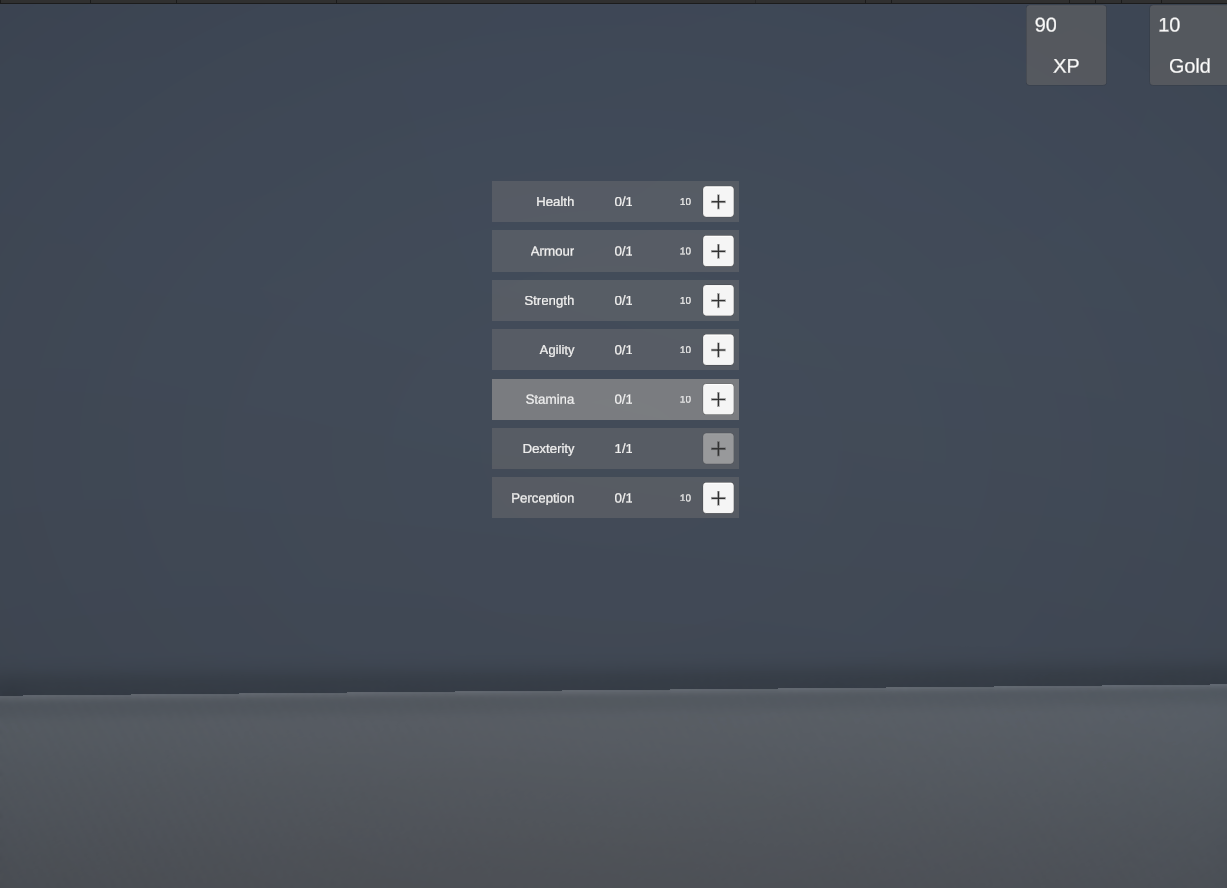
Other small contributions: Improved gamepad mappings for UIs and stick-based camera movement. Added the assets for table and trapdoor to the respective prefabs.
By Axel Schneewind
Game Saving
The game can now save to Disk. This allows for things like collected coins and player levels, to not only be kept between runs, but also between game executions.
For that i implemented a generall serialisation/deserialisation functionality. because i wanted it to use different criteria the the unity build in system. I also designed it so it is very easy to use if you want to save something. You just have to subsribe your object and mark all fields with attributes.
Something else that was very important to me was the storage path. I can get often very annoyed by games saving into randome folders like
documents. So i set it to store in~/.local/shareon linux and%USERPROFILE%\samve games… i ignored mac os, i have no idea where to save there and we dont have a test system.By David Ruff
Correcting the Wall Creation
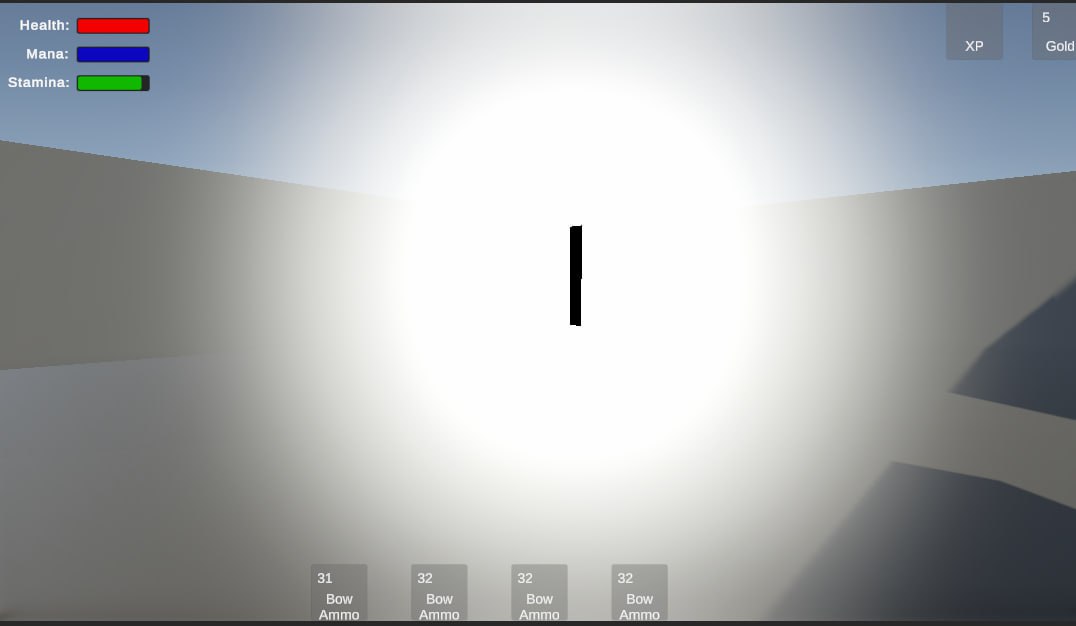
The Dungeon generation wasn’t working perfectly. The Walls weren’t reaching the corner of the rooms, Walls with Scale 0 were created which looked like a black sun (see ref). So this week I fixed these problems. The scaling probleme was fixed quite easy, since I rotate the Wall prefab at the instantiation, I don’t have to scale it along the z-Axis but the x-Axis. For the second probleme I corrected the scaling and positioning of the Wall Objects. I placed the Pillar Asset Rene created in the corners and with that it looked way better, although I noticed that for a corridor one wall wasn’t generated, so some bugs remain which have to be fixed soon.
By Sven Gerber
Combat System & Enemy Behavior
Further work has been done to improve the animation controller and the way how the enemies perceive the player, as well as some tuning on their combat behavior. A few small issues were fixed with wrong state changes in the state machine of the animation controller, and a blend tree has been added that is now used to seamlessly interpolate between a forward, backward, left and right walking animation depending on the direction of the opponent’s velocity. In combat, enemies now target a position that is a little in front of the player, but still close enough so that their attack range is enough for a hit. When an enemy drops below 50% health, they will become more cautious and try to avoid getting hit any further. Previously, enemies would automatically become aware of the player when he was within a certain range. Now, multiple factors are taken into account: The enemies still have a limited perception range, but they can only perceive the player if he is within a 120 degree cone that is in front of the enemy. They also cannot see the player if a wall is blocking their line of sight. When an enemy loses sight of the player, they will still go to the location that they have last seen the player at, wait there for a short while, and then return to the nav points in their spawn room.
By Moritz Mahling
-
Week 3
Inventory UI:
Added Scripts and prefabs for displaying and managing the players inventory.
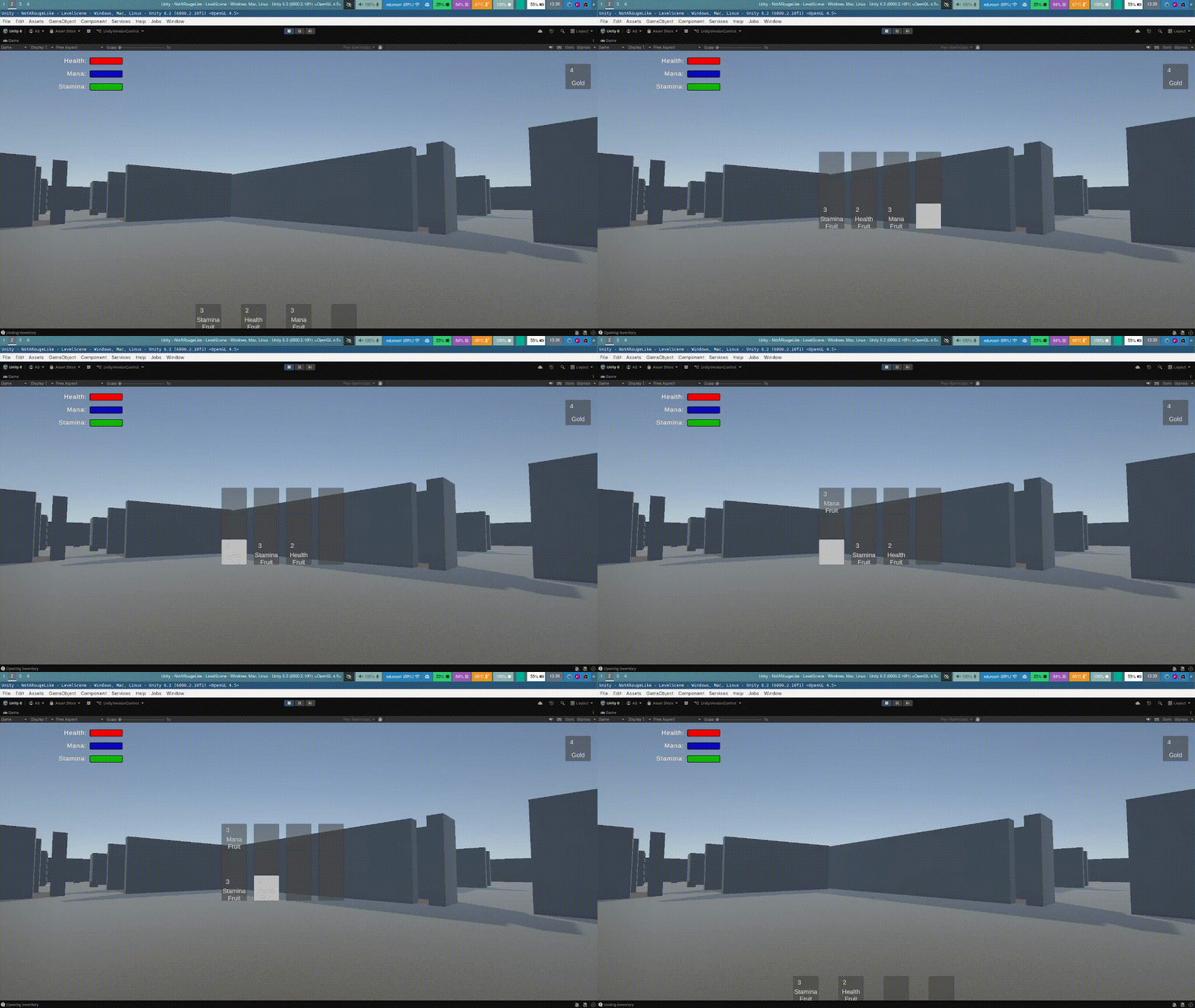
Currently, the inventory can be opened by pressing ‘E’. Item slots can be selected using WASD-keys. An item can be grabbed by pressing space and then moved using WASD.
Also, analogously to the hotbar for items, a hotbar for currencies is added.
Player stats and upgrades
Added Scripts and prefabs to implement upgrades of player stats. Here, I distinguish between base stats (health, dexterity, …) that can be upgraded (the level simply being an integer each) and gameplay-stats that depend on base stats and influence gameplay (movement speed, max-health,…).
The StatScalingDefinitions-Component provides definitions on how to compute gameplay-stats from base-stats. It is added to the “Definitions”-Prefab to allow configuring of these values. Further, it is possible to create different definitions-prefabs to define different levels of difficulty.
By Axel Schneewind
Assets:
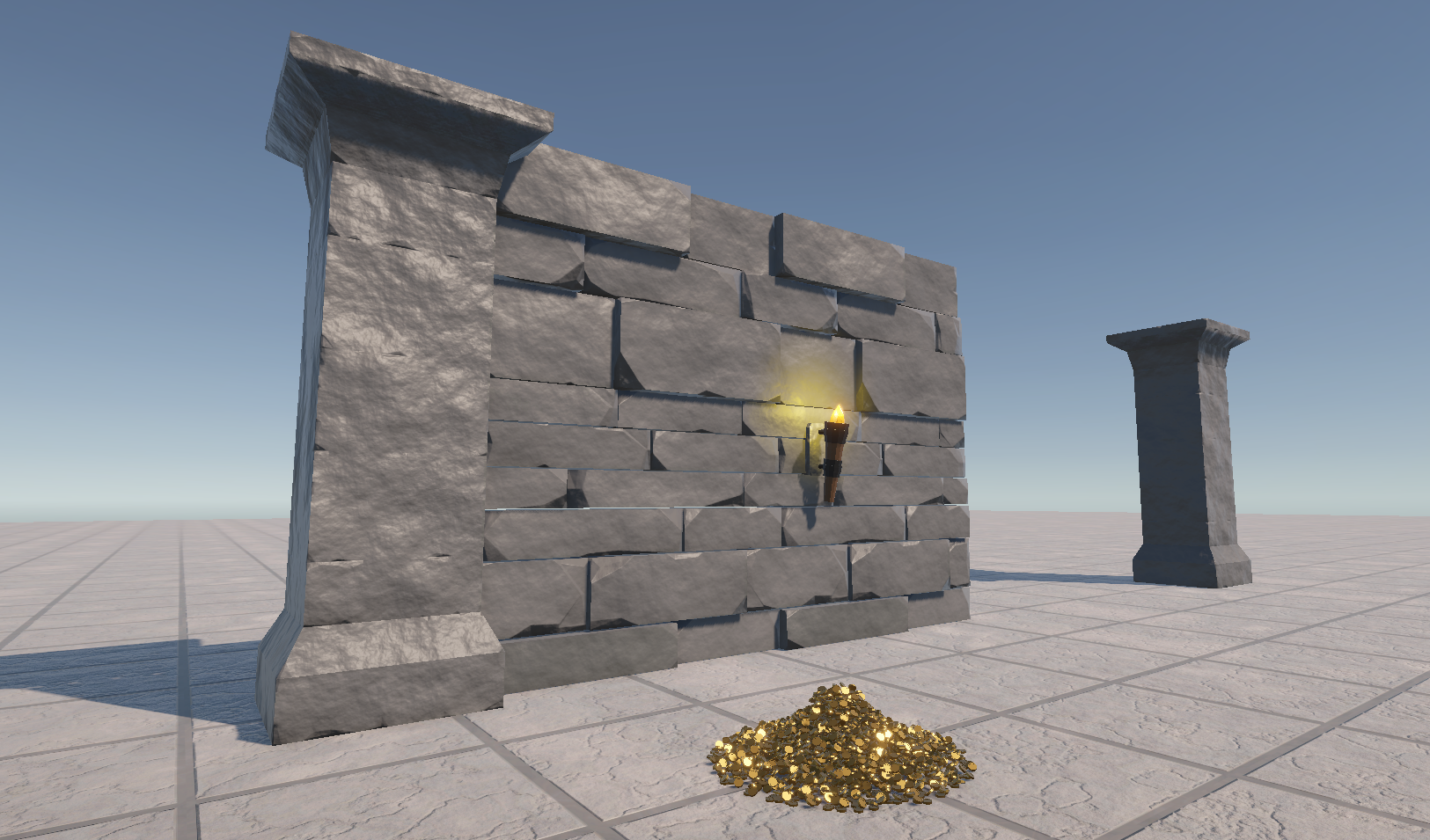
Textures were created for the wall, pillar and wall torch models to give them a stone-like appearance.
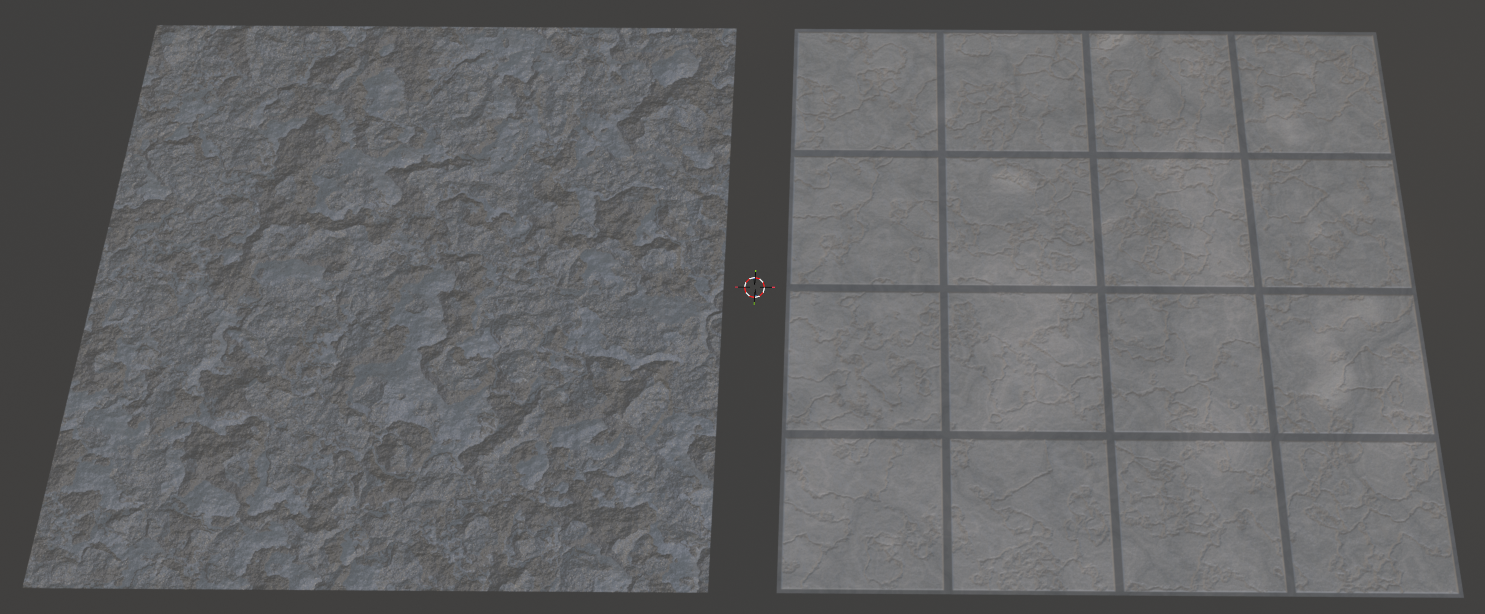
Appropriate textures and materials were also created for the ceiling and floor to match the dungeon.
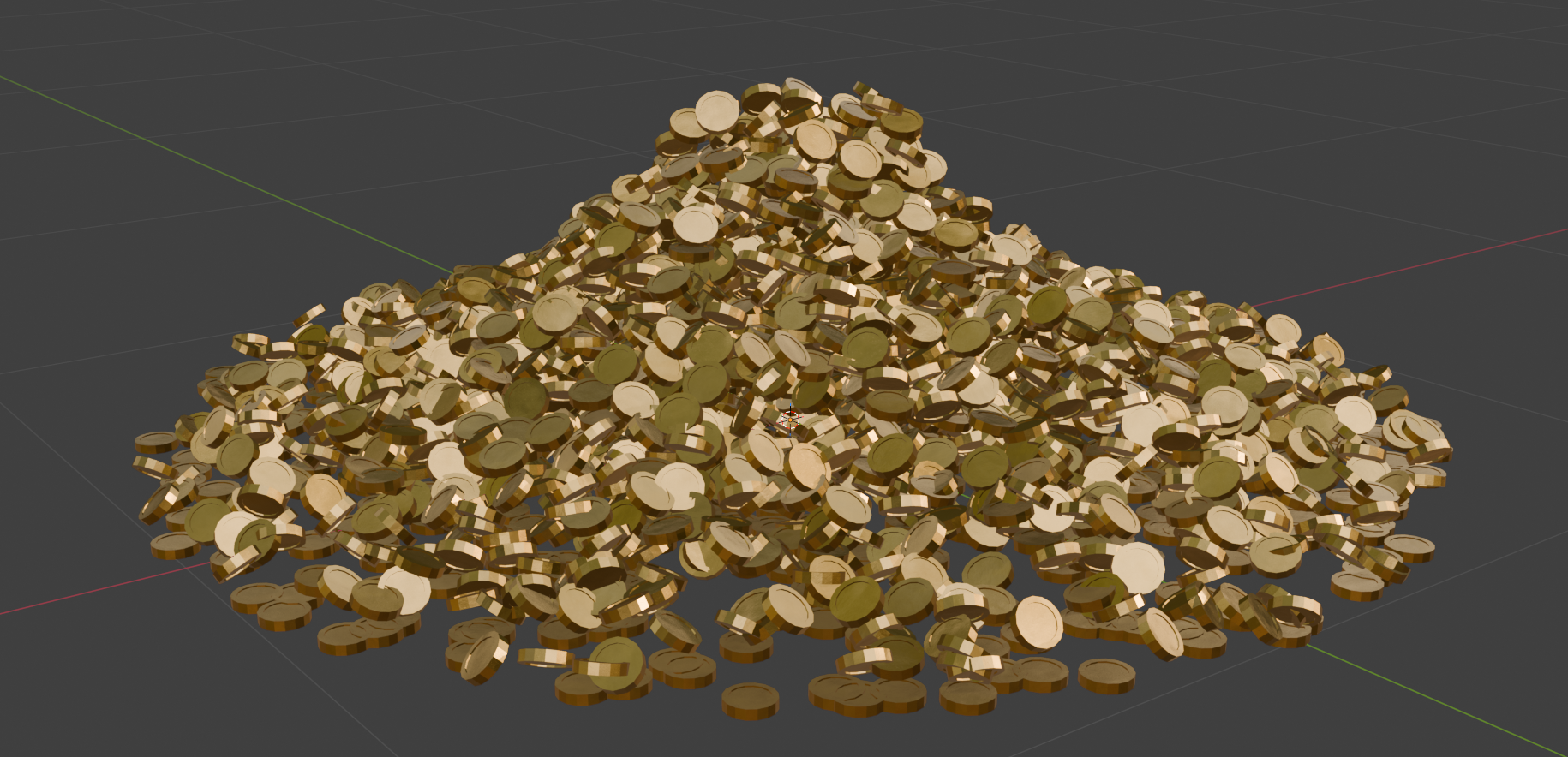
Enemies and destructible objects should be able to drop coins. These can be used by players to purchase items in the shop. A model of a pile of coins with appropriate textures and materials was created in Blender for this purpose.
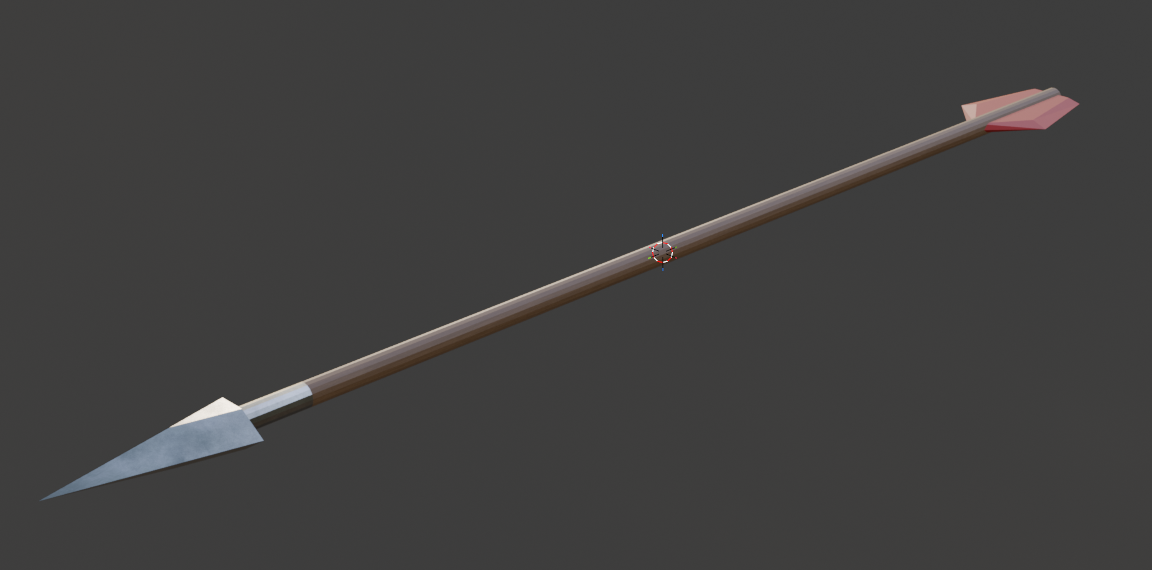
Currently, the player only shoots gray balls as projectiles. To enable the player to shoot arrows as an archer in the future, a suitable model with textures was also created.
By Rene Tischler
Animation
Created animation of Skeleton.
Including Locomotion (Idle and move to 4 directions) for sword skeleton and archer skeleton. Attacking animation and Hitreact animation.
By Guanpu Tian
Combat System & Enemy Behavior:
Now, when the players health reaches zero, a death screen appears, which locks the controls for the player and shows a button that lets the player restart the game. The restart button also calls the save function to save the progress that the player has made during his previous run. Enemies now use their proper model and animations, which for now includes an idle animation, walking forward, attacking with a sword, getting hit and dying. This improves the readability and feedback the player gets during combat about what the enemies are doing and what effect his actions have. The ranged attack now shoots proper arrows instead of spheres. If the player hits a wall or the floor, the arrows remain there and can be picked up to replenish ammo. Ammo is stored in the players inventory and gets depleted with each shot.
By Moritz Mahling
-
Week 2
Items:
Added Scripts for item definitions and player inventory. Implemented the ItemDefiner component which is intended to be used as a singleton in the scene, attached to a prefab where the definitions can be edited. For an item, attributes such as display-name, models for rendering, probabilities (for being available in shops or in chests) can be defined.
Further, the Inventory-component is added, which stores the players items in a configurable number of slots.
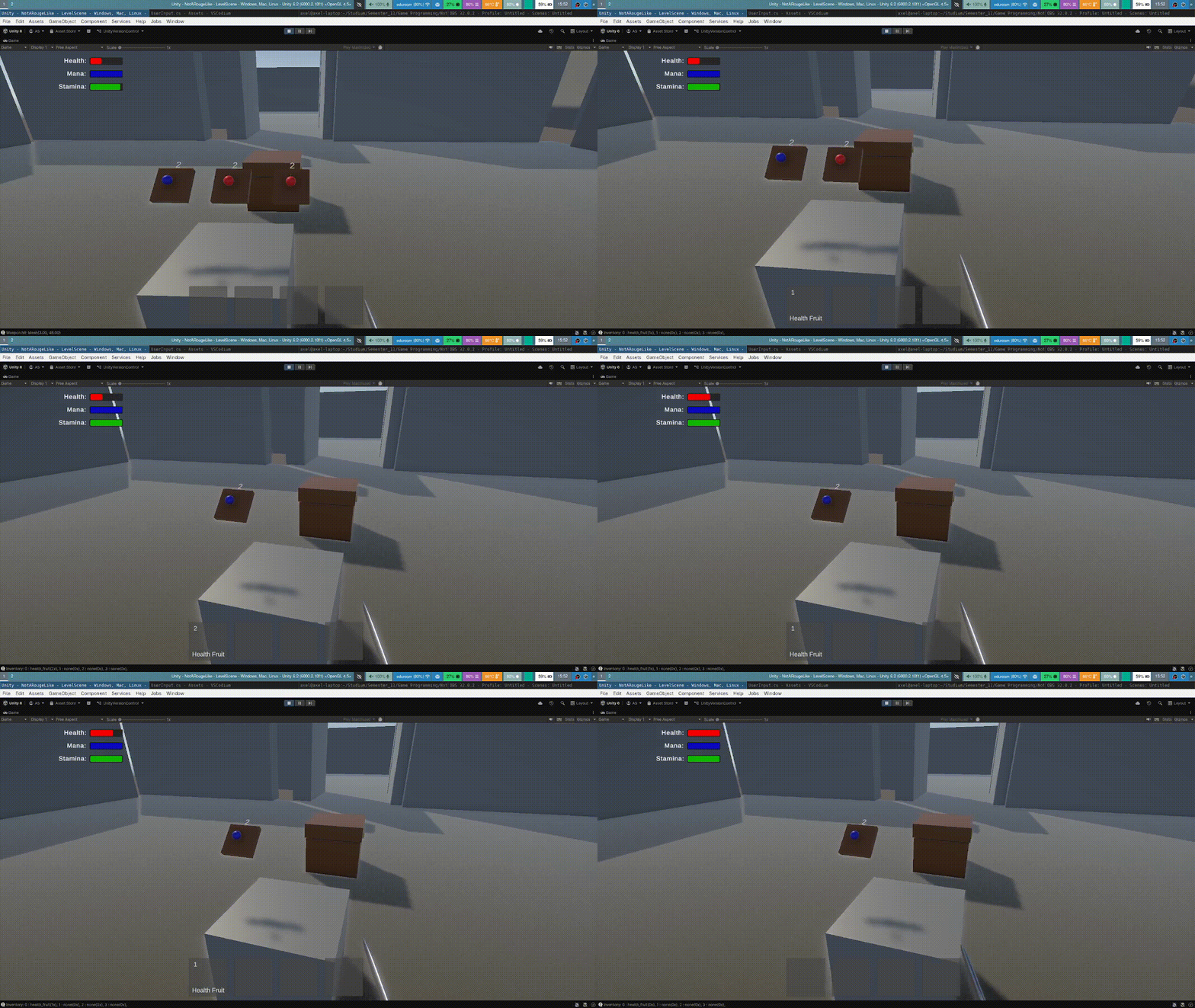
For visualization using a hotbar, ui components are added. Available items are shown at the bottom of the screen. Usage using number keys has already been implemented.
For now, no item models are shown in the hotbar, as currently, we don’t have any 2d assets for the items. Solutions have to be discussed with the asset creators. We could: manually create 2D-assets, create these automatically or (my least favorite) render the 3D models using an overlay camera.
Small contribution: extracted player stats (max health, etc.) from Player-script into a separate class, preparing for the future addition of character classes and player levelling.
By Axel Schneewind
Assets:
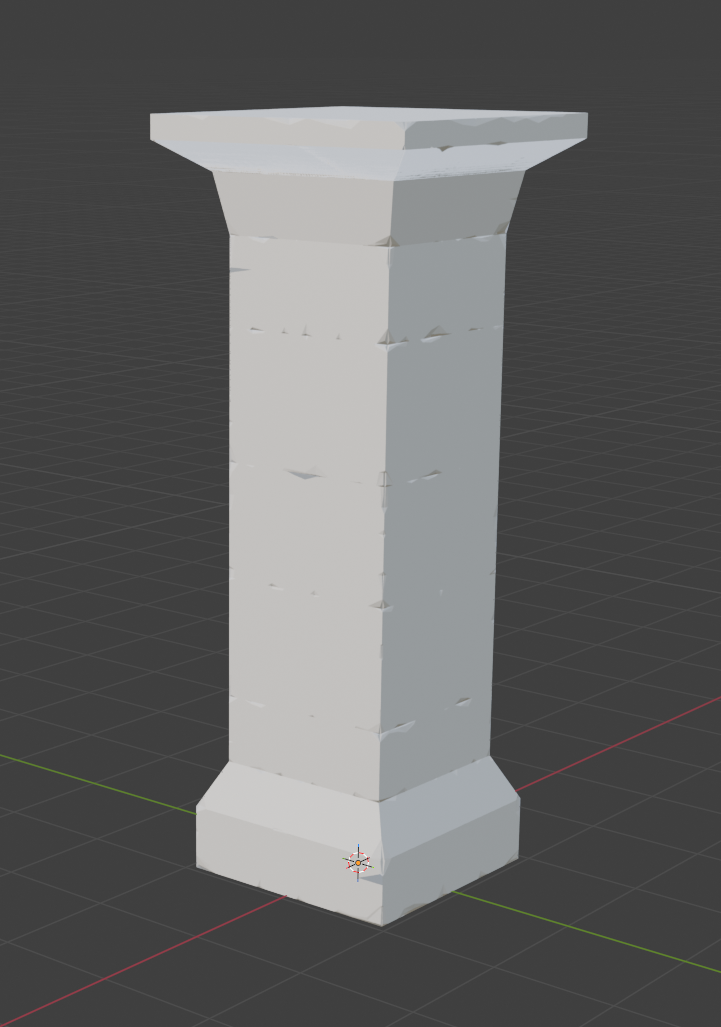
For the dungeon generation, a low-poly pillar model with a baked normal map was created in Blender to match the walls.
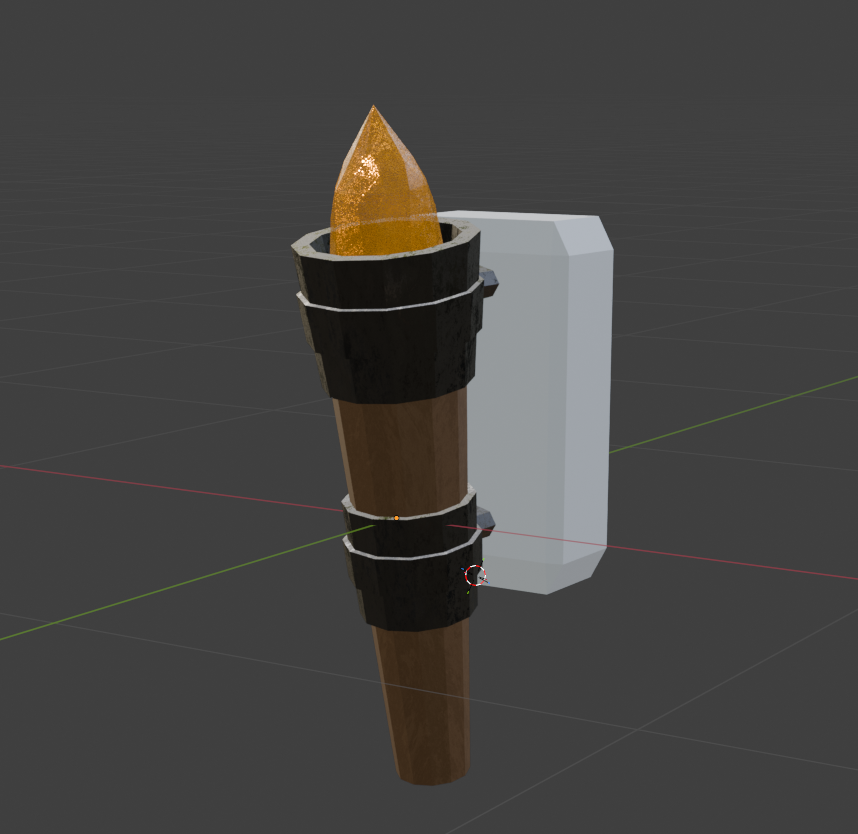
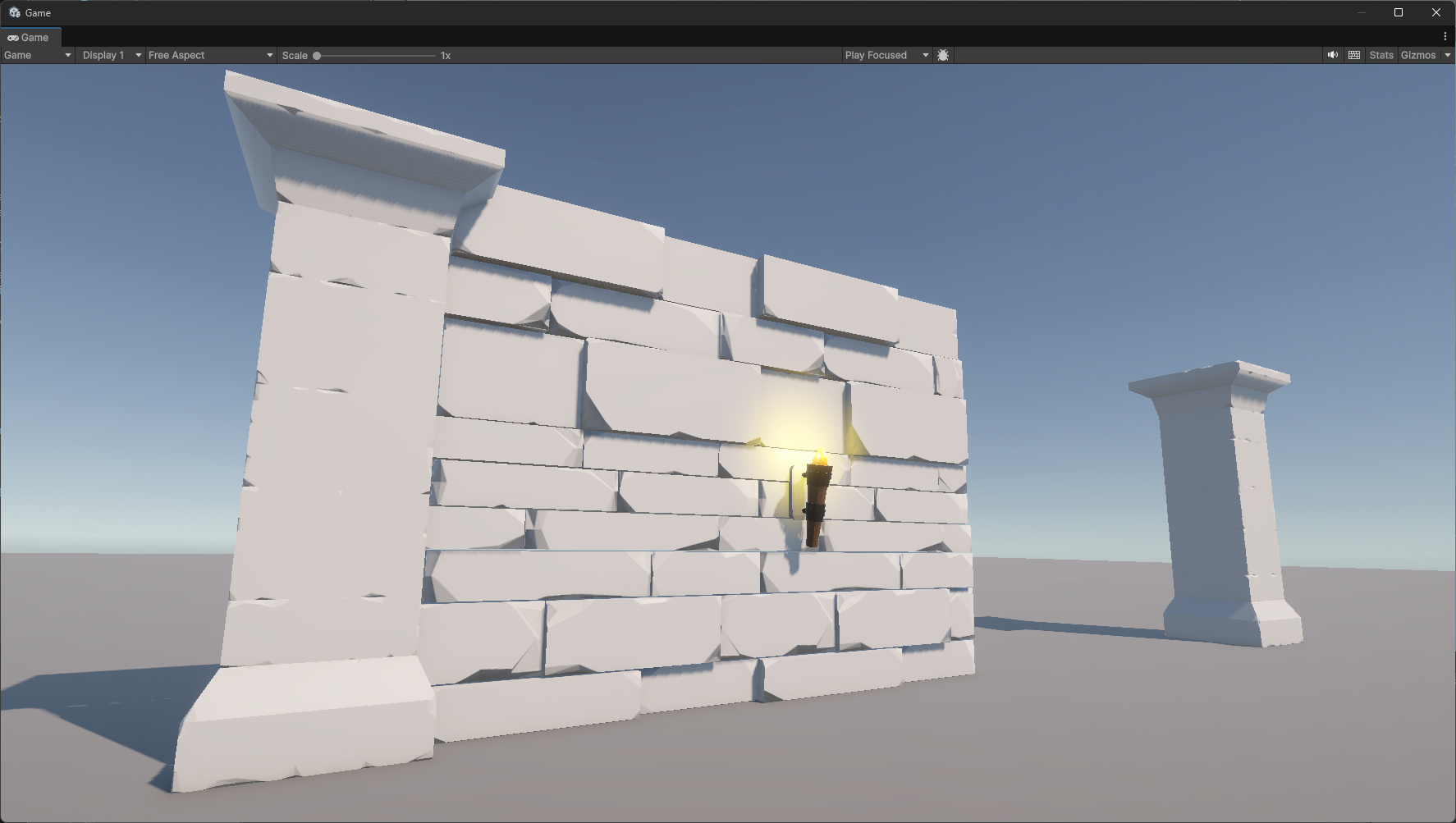
Furthermore, a torch model with a normal, metallic, and diffuse texture was created, and a prefab was made to light up the dungeon.
By Rene Tischler
For the Enemy assets. 2 variations of Skeletton models, with sword and with bow are finished.
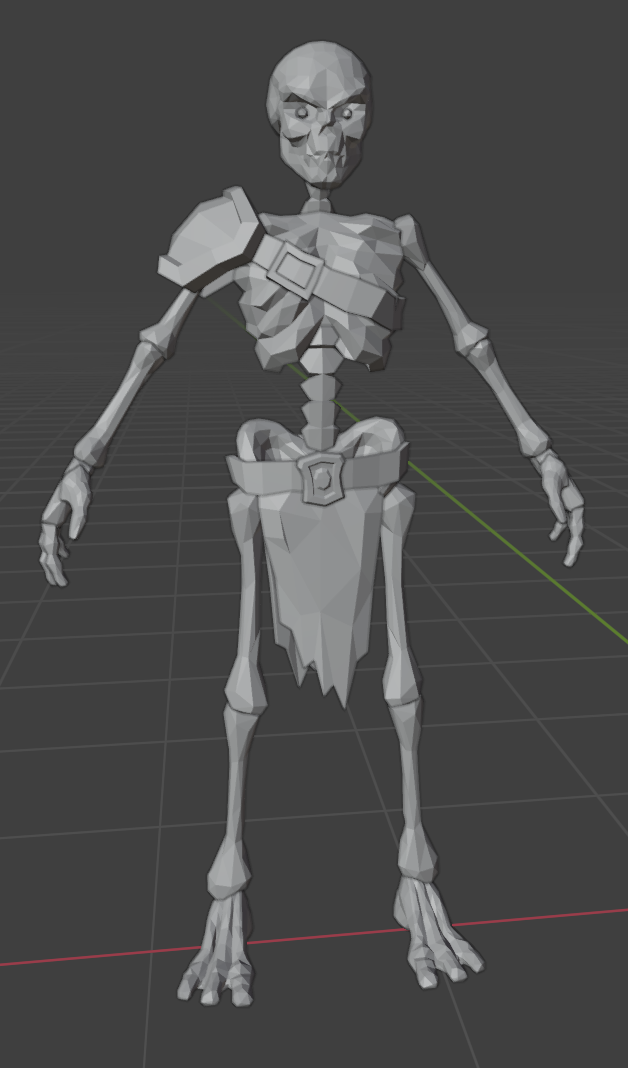
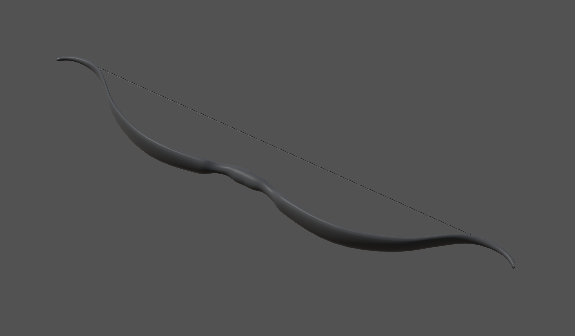
And bow and quiver Model.
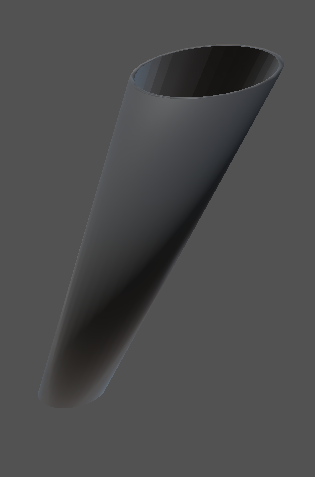
Animations in processing.
By Guanpu Tian
Wall Creation
With the new Wall Asset from Rene, I implemented the wall creation of the dungeon. It looked to steched out using only one Asset for each Wall so I had to change the code. The normal Asset with a scaling of (1, 1, 1) has a width of approximatly 4 units in Unity. Therefore the new function divides the length of the wall by 4 (length of the Wall Asset). With that i get the amount of wall assets i need for one wall. Additionally a slight offset on the orthogonal axis (not the y-Axis) of the vertical or horizontal Walls is added for some prettier Walls.
By Sven Gerber
Combat System & Enemy Behavior:
Additional work has been done so that the logic of damage dealing is separate from the visual animations. Damage is now dealt if the player is in an invisible HitZone during the attack of the opponent, rather than checking for collisions with the mesh of the weapon model. In order for the damage to be dealt at an appropriate time during the animation, the HitZone only becomes active during the “Strike” HitState of the attack.
By Moritz Mahling
-
Week 1
After we decided what our game should be, we started working on it.
Assets:
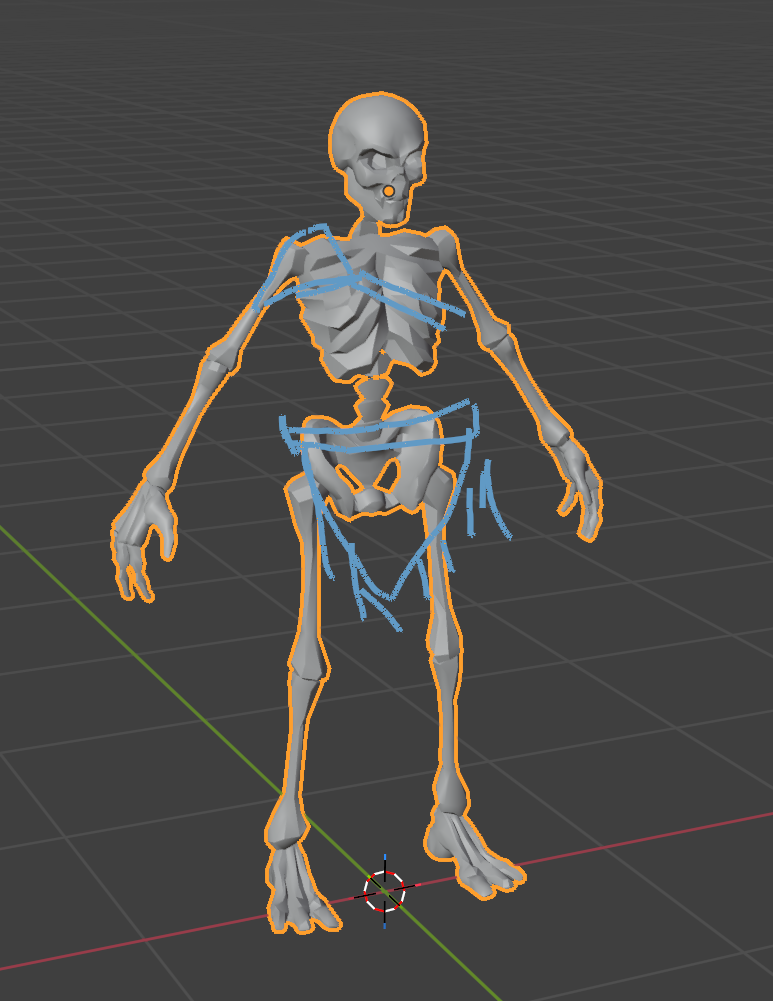
Finish basic creation of Skeletton soldier.
By Guanpu Tian
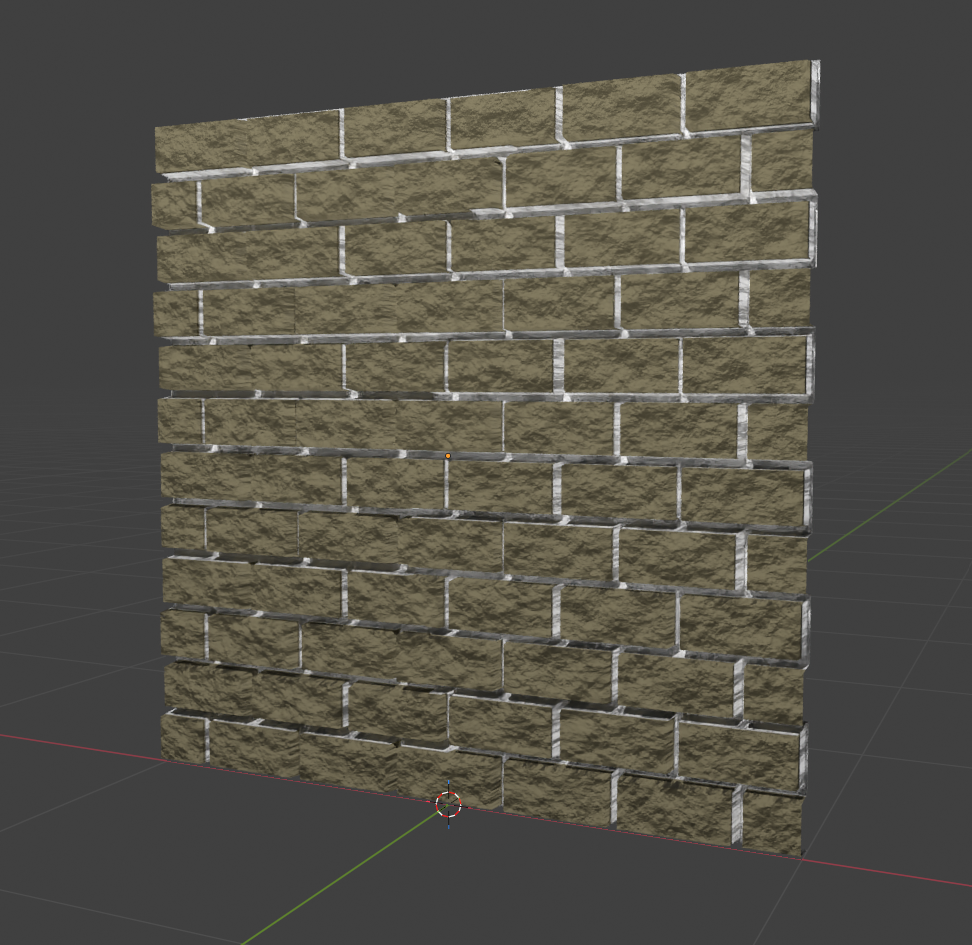
A material for a brick wall with a diffuse, displacement, and normal texture was created. Which will not be used for now because Unity does not support displacement maps.
Furthermore, a custom low poly wall model with a baked normal map was created for the dungeon generation.
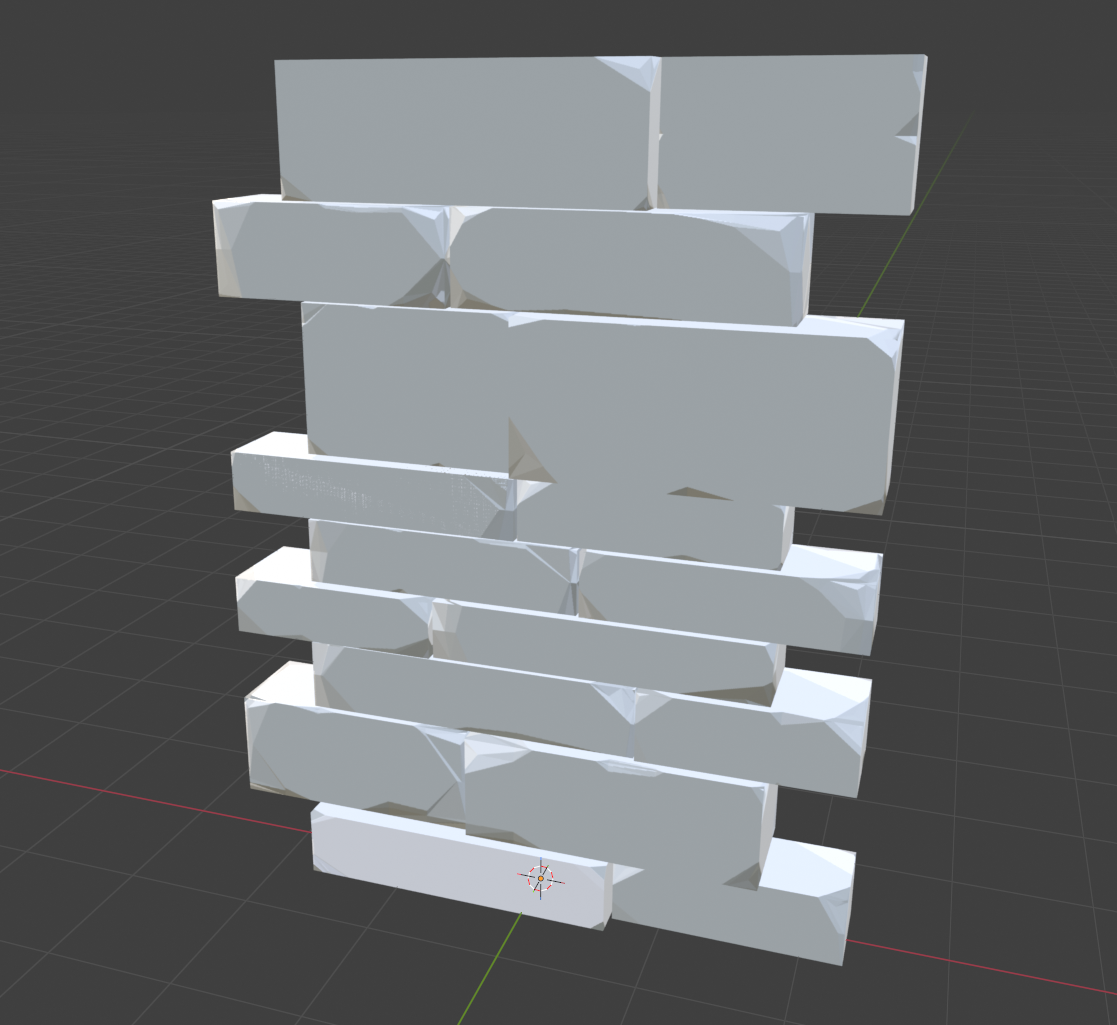
By Rene Tischler
Shop:
Added scripts and prefabs for a shop (currently without proper assets).
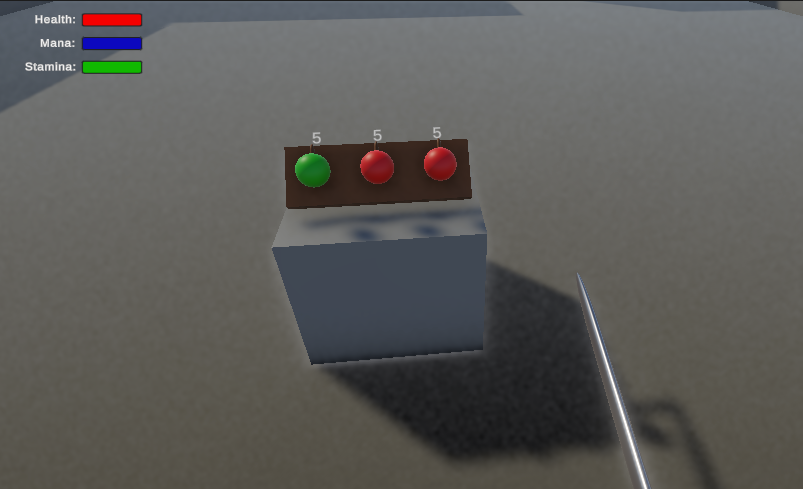
The shop can be placed into rooms by the level generator (currently with constant probability for any room, with 3 random items).
The shop displays the available items which can be purchased by looking at the item and pressing the interaction button. Positions of the displayed items can be adjusted to fit the shops model which has to be added in the future.
Currently, as no currency is implemented, the items are free.
By Axel Schneewind
Dungeon Creation:
In the previous version a Wall Asset with width and length of 1 was used for creating the walls of the dungeon. This resulted in a lot of generated Wall Assets in one Dungeon which leads to performance issues. To fix this, the lengths and widths of the rooms are used as the scale for the Wall Asset and therefore one Wall Asset is used for one Wall. The scaling is not perfect, but preformancewise its way cheaper but that all has to be worked over again with the new Wall Assets from Rene.
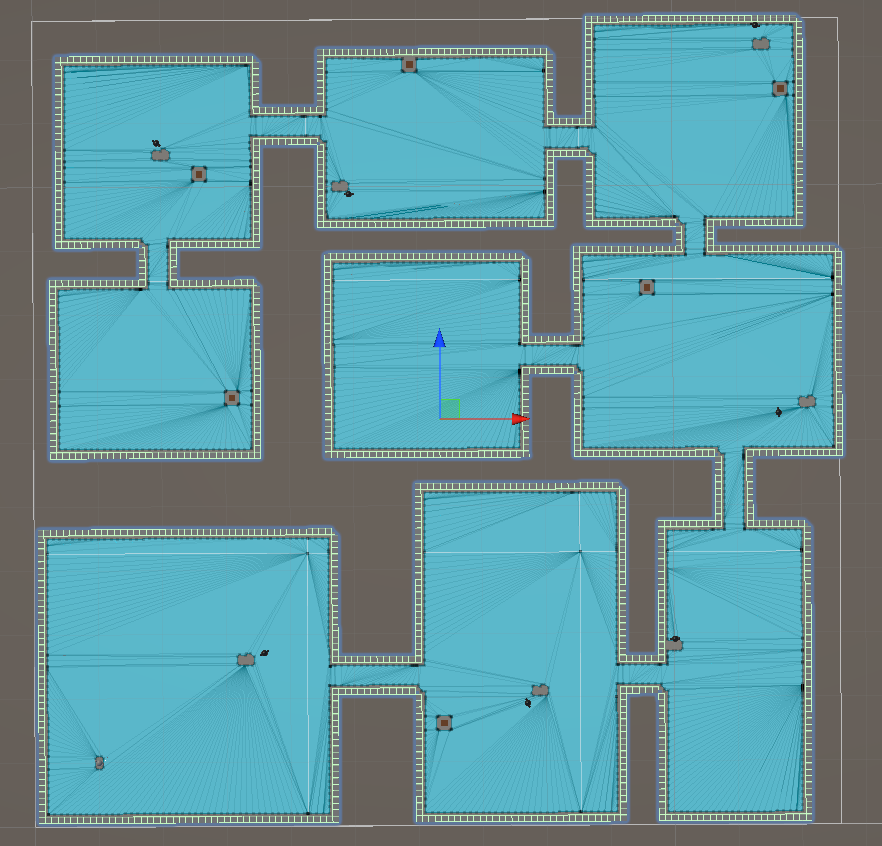
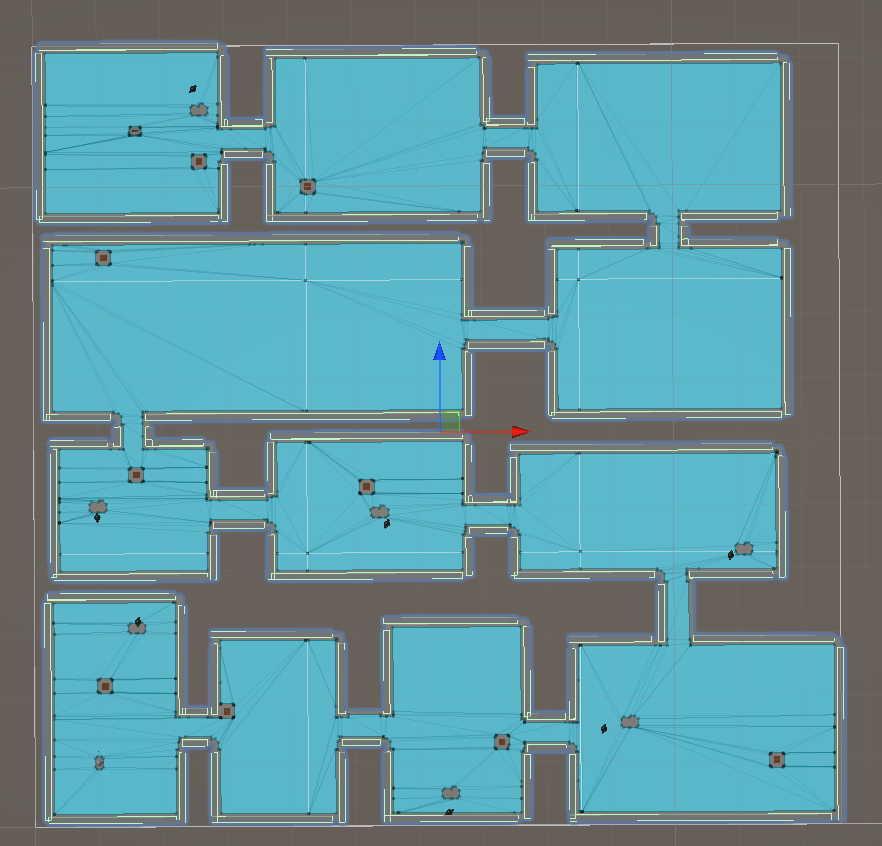
Old Wall Generation vs New Wall Generation
By Sven Gerber
Combat System & Enemy Behavior:
Implemented the initial ability for opponents to deal damage to the player. This first implementation is based on the melee attack of the player, but will be changed later so that the damage dealing logic is separate from the visual animations.
By Moritz Mahling
Tooling:
This blog has been set up and configured. I decied to keep it simple and host via github pages, but initial trials revelead that github pages have an import drawbag by not supporting git-lfs. Which is a problem because we will probably need media files. So i changed it a litlte bit and build the page via github actions.
By David Ruff
subscribe via RSS